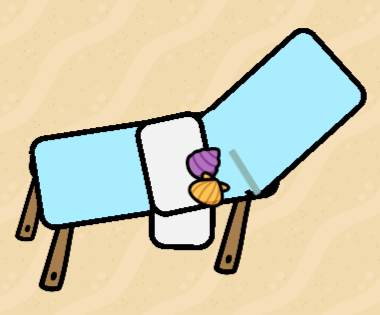
How to make a beach chair (1/10)🟩

Hello fellow upright man species humans [1] , I’m going to teach you how make beach chair like these [2]
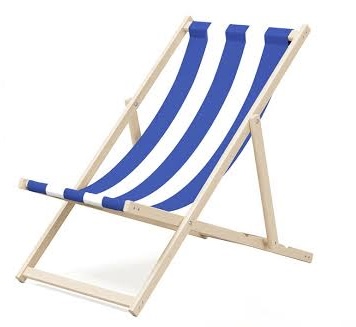

I’m doing this because no one else did it💔[3] which made me suffer in building a bit… anyway- back onto topic [4]

← check if editing, no checking for fun

step 1

First, grab 3 or 2 barrier block from device
4 blackboard leg from prop
Yep that’s all u need, amazing right?

step 2

Place ur blackboard leg like this
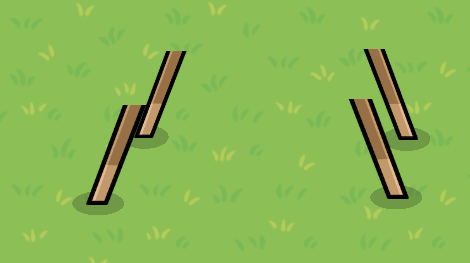

Then take out 2 of ur barrier block, erase ur border and make into the color u want. Then place em like this
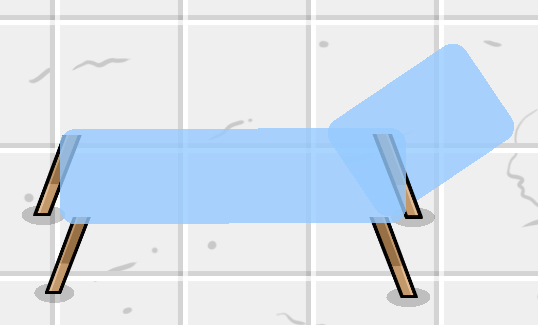
(Yes u finished, but wait, what about the last barrier?)

step 3 (optional)

After that, make the 3rd barrier into the towel if you want, like this
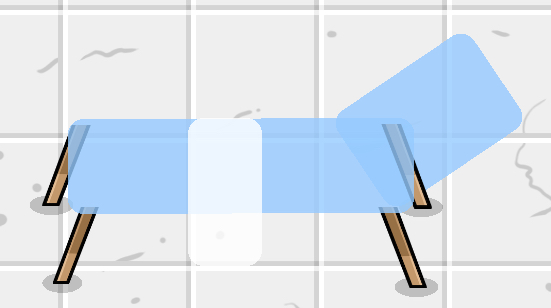

Or you can decorate the other way like this
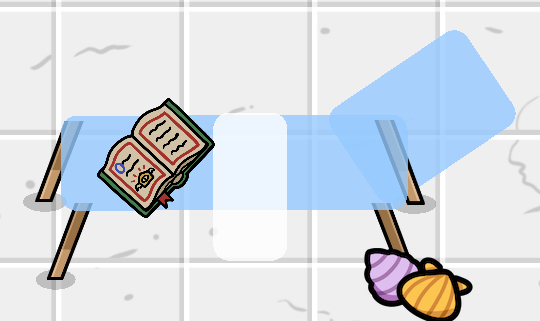
Anyway you like it, but u can also make it more detail, like the og picture with the white strap.

product

So after all if u only see step 1 and 2 u will get something like this

But if you see all 3, you might get something like this


Anyway, I hope you make something amazing byeeee

other choice

If you did all of it, you can choose to change barrier blocks into 1.0 which will look like something like this
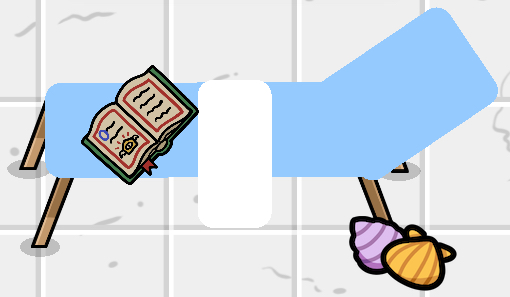
And if you wanted white strip on it, here is the step.

white strip beach chair

Rn you’ll have this,


Or this

But if you want the white strip, first take everything off,
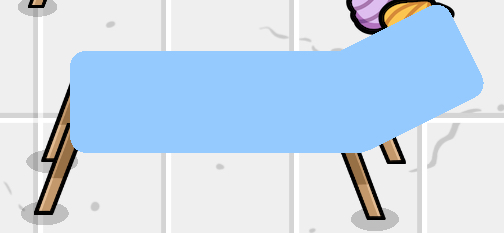

So this will be your base, and then take out 2 barriers block and make them white, then you shall place them like this
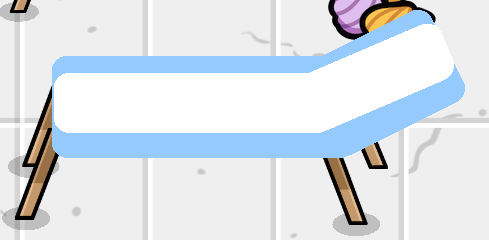
Then ur done and decorate them if u want!

If you also want border around it here is how,

Border beach chair

Rn you should have something like this


Or this

If you have the white stripe, DO NOT MAKE WHITE STRIP HAVE BORDER!
Because it will kinda ruined ur chair.
First, make ur base block have border and you’ll get something like this.
[wip]

How hard is this guide? (Comment how I can improve plssss)

  • 1/10
  • 2/10
  • 3/10
  • 4/10
  • 5/10
  • 6/10
  • 7/10
  • 8/10
  • 9/10
  • 10/10
0 voters

  1. I mean, it’s still human right? ↩︎

  2. my first guide lol ↩︎

  3. I wonder why… ↩︎

  4. warning! Product is different from the picture! ↩︎

6 Likes

Wow that looks great!

4 Likes

Thanks you [1]


  1. I was worried I didn’t do good XP ↩︎

3 Likes

Isn’t this an art guide?

2 Likes

Nice guide, maybe add the white stripes like in the picture you gave?

1 Like

Ok ill do it later

Uhm, idk what I should put it, but since it’s a guide so I put it into community huide

Changed it thx for telling me

It prevent from over writing other’s edit

3 Likes

Im pretty sure guides on art still go in the art category.

3 Likes

I would recommend changing your barriers alpha to 1.00.
This means it won’t be see through.
Great guide other wise though.

6 Likes

Great first guide! I would make your barriers transparency 1.00 and maybe add stripes to the towel so that we know it’s there.

1 Like


tried it out, looks cool! (though I do recommend using 1.0/full color and borders.)
nice guide :3


that is because it is not a wiki. (regulars can only wiki their posts)

4 Likes

You can also use custom shapes, but they use more memory.

2 Likes

It should also I have barrier art tag


Lets get to the important part

Nice guide!

2 Likes

Cool guide, but the checkbox doesn’t do anything

1 Like

Very peak guide indeed :+1:

For shading, you could put a circular barrier with the opacity of 25-40 so its like a shadow under the chair.

1 Like