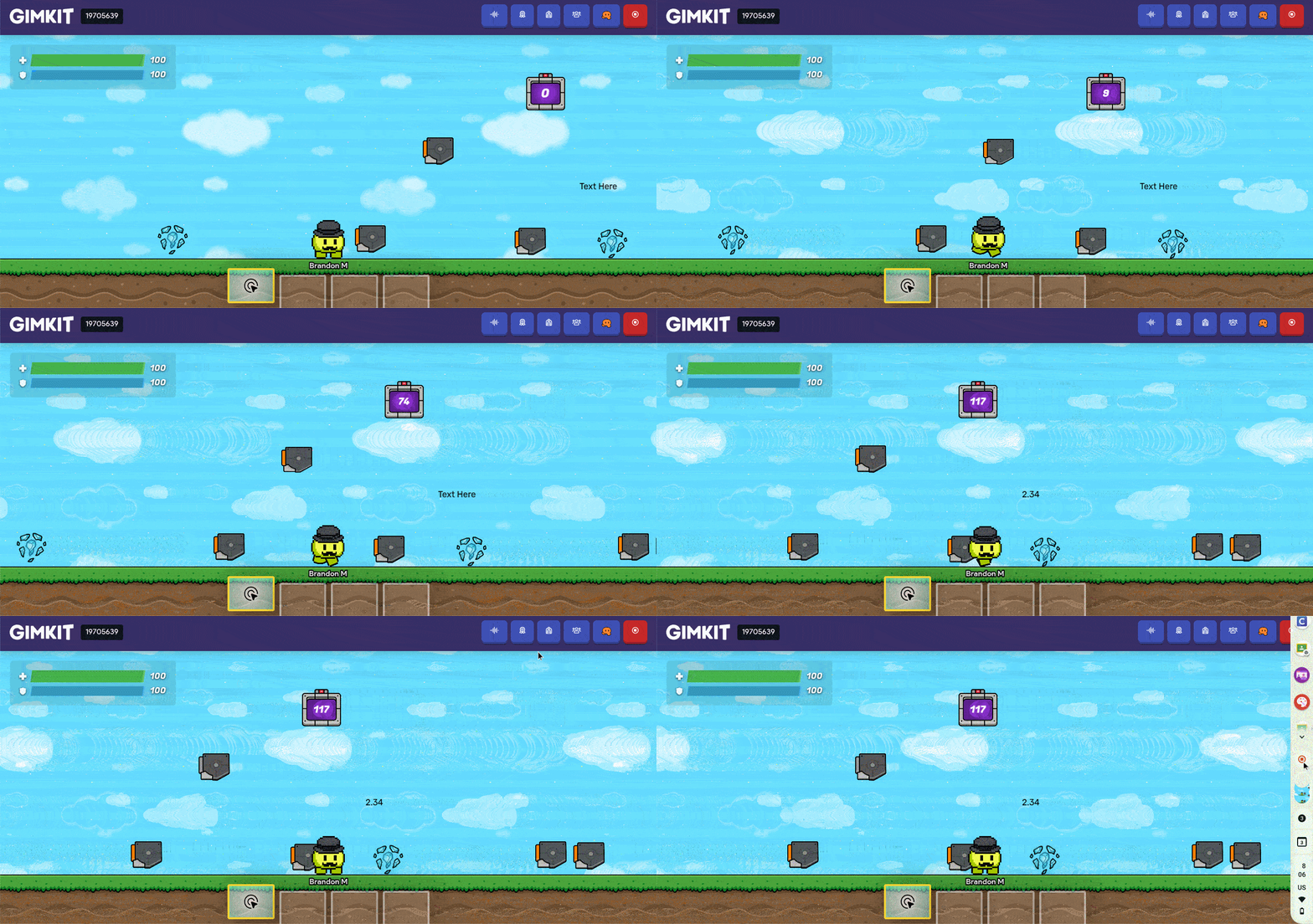
ive seen a couple of posts about how to make timers that count upward. however they all only do seconds. so what if you want a timer that count in milliseconds as well? well its isnt that much harder.
- your gonna need
1 trigger
1 counter
1 property
1 relay
1 text to display it
and a little bit of block code
your going to place down something to activate the timer, and an end point which will stop the timer. i decide to use triggers since i was already using them, but you could use a zone, button, or anything really that can trigger a channel.
For what starts the timer, the only thing you need is for it to trigger the channel that starts the timer.
the timer trigger should have this:
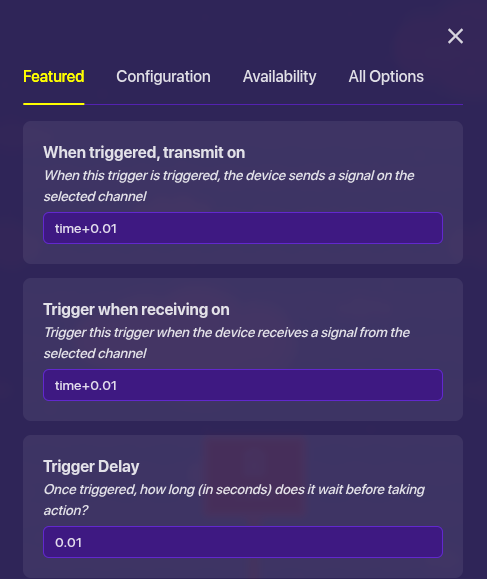
what this does is so that (in theory) every 0.01 seconds it triggers a channel. ill get back to the in theory part later.
and of course to end the timer it has this:
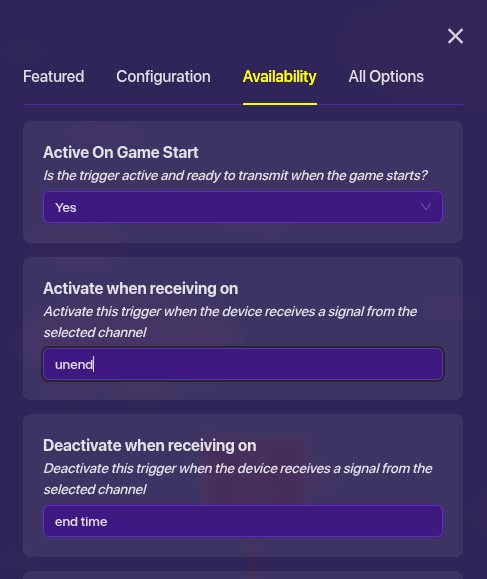
what will happen is that after we end time, a relay will after the timer is disabled we will immediately re-enable it. however since we already disabled it it will not keep counting.
now that we have the timing mechanism set up, we have to actually keep track of it. so far that we will use a counter that will update a property.
timer settings:
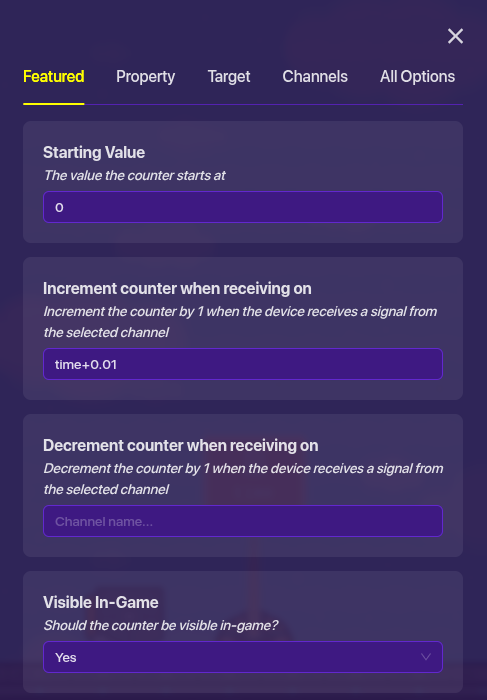
this just adds 1 to the counter every time the timer trigger activates.
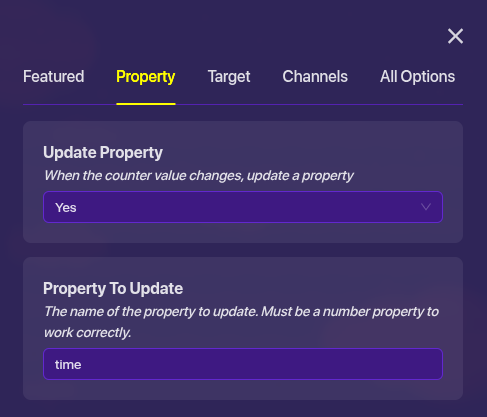
this will update a property called time which we will need later.
the only thing you need to change on the property is to make sure that it is a number property. i spent like 5 minutes wondering why its wasnt updating a text property before i realized it was a text property.
the last part of this we have to do is putting this into text. all that matters with the text is having a block that activates on the channel that stops the time.
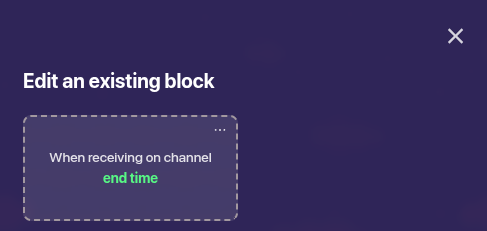
the block code looks like this:

what this does is takes the value of the property and writes it on the text. an the reason that we have to divide by 50 is 2 reasons.
- you cannot have it increment up by 0.01, so to get the time into X.XX you need to divide.
- the reason we have to divide by 50 and not 100 is because the trigger (atleast from my testing) is because it cant actually update every 0.01 seconds. it might just be that my school computer is slow, but it runs about half as fast as actual seconds. it gets to 100 (which would be 1 second) by 2 seconds. so thats why we divide by 50.
so now if you go in game and test it, the text would display the time between the start and ending. a timer that counts upwards that can be started and stopped in milliseconds. this is my first guide so if you have feedback or questions i will try to answer them.


 better grammar