This is a remake of How to Harvest | Difficulty: 🟨 as all images have been removed from old guides due to storage limitations. This is still NOT a farming guide. Use the crafting table/recipe for that.
Setup
We need one prop and 3 devices for this. The prop will be whatever you want to harvest (in my case a tree). The three devices will be a button, wire repeater, and an item granter.

an image showing a tree, button, wire repeater, and an item granter for every item we want as a possibility to drop.
And that all you need!.
Wiring/Coding
Start off by wiring the button to the prop with “Button Pressed ----> Hide Prop”

And also wire the button to the wire repeater using “Button Pressed”

Wire the wire repeater to the prop and “Show Prop”

Wire the wire repeater to the button and “Activate Button”

Wire the prop to the button with “Prop Made Hidden ----> Deactivate Button”

Then wire the button to the item granter with “Button Pressed ----> Run Wire Pulse Block”

if you only want one item and type of item to drop do “Button Pressed ----> Grant Item” instead.

If you are only granting one item then code
Grant Player Selected Item (Custom Amount)
Amount: Pick Random Integer From [1] to [3]
Replace one and three with the minimum and maximum amount you want it to drop.

Multiple Items
If you want multiple items, it’s more complicated. But basically, we are making a loot table. I wont go too in depth but my old guide still works Loot Tables! (Fishing System like Fishtopia) | TUTORIAL | Difficulty : 🟧(Old Forum Repost)
The main difference between these is the
Grant Player Selected Item (Custom Amount)
Amount: Pick Random Integer From [1] to [3]
Replace the
Broadcast Message on Channel "Item Name"
for the item of the item granter with it.
It should look something like this

Now make a number property called something like “give”
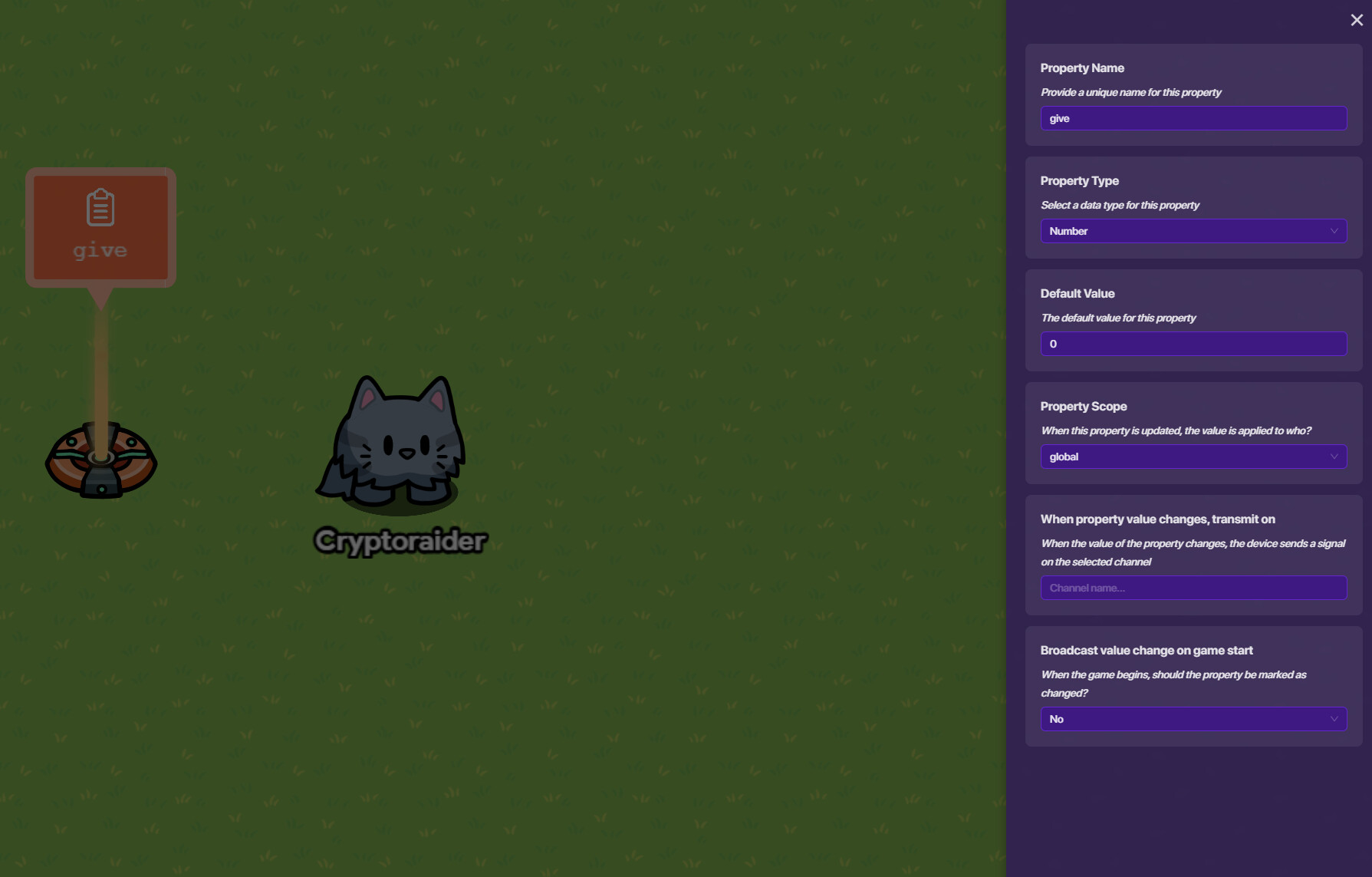
Back in the code set “give” to a random number within parameters of your choice for all the other items
Set Property: "give"
Value: random integer from [1] to [2]

In all the other item granters make a new “When Receiving on Channel (item name)” code block and simply grant property “give” amount of item
Grant Player Selected Item (Custom Amount)
Amount: Get Property "give"

You can also adapt this system to drop one item and have a chance to drop another item. I wont explain it much but it’d look something like this
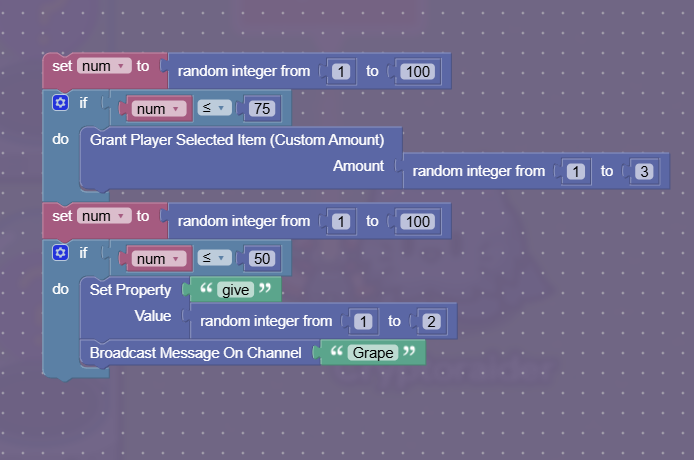
or this

Configurations
Now, we need to actually change some settings on the devices. I’d start with just setting the item granters to their respective items if you haven’t already

Now, make the button be not visible and move it under the prop, ensuring the activation radius allows it to still be used
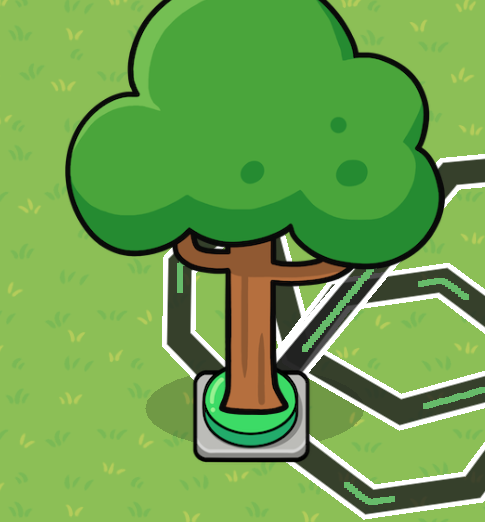

Then, in the wire repeater choose how long you want it to take for the pulse to relay (and thus how long it takes for the prop to respawn). If you don’t want it to respawn at all, delete the wire repeater.

And thats done! If you want an explanation of how this works it’s in the dropdown menu below! Please ask any questions if you have them, I’ll be happy to help.
Explaination
The basics are, when the button is pressed it hides the prop which deactivates the button and pings the wire repeater. After 3 seconds the wire repeater shows the prop again and reactivates the button. The button also pings the first item granter to make it grant its item or grant a random amount of its item. The item granter can also pick a number through 1-100 and if its 75 or lower it’ll give its item (75% chance) and if its higher another item granter will grant a random number of it’s item (25% chance)
What difficulty is this?
- 1
- 2
- 3
- 4
- 5
- 6
- 7
- 8
- 9
- 10