on my normal map I need it to zoom out so I see the whole thing
You can’t change the zoom in creative, its only available in edit mode.
I don’t think you can zoom out but you can zoom in? if that helps
Do you mean like it editor mode or in-game?
If he means in editor mode, here:
Select the little settings icon in the bottom-left corner, then press this:
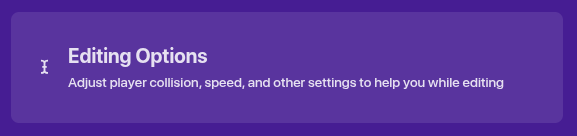
Then, at the top, you’ll see this:
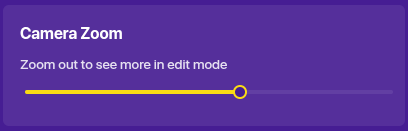
Pull it to the left to zoom out.
3 Likes
We don’t have a zoom out, sorry
Something you can try is placing your stuff closer together so everything’s seen, if you’re doing a map or something like that [1]
probably not ↩︎
Well, while creating, like Nagi said, the Camera Zoom feature is located in Editing Options.
While in game, you cannot actually have a zoom in/zoom out option. You could use camera views (is that the name?) for a more close-up effect for ingame areas.
3 Likes
If you mean in game, then the only thing you can do is do the following keyboard shortcut multiple times (if you are on a chromebook): Ctrl + Shift + - but that only applies to your device and will not zoom out much. If you mean the editor, do what Nagi said.
2 Likes
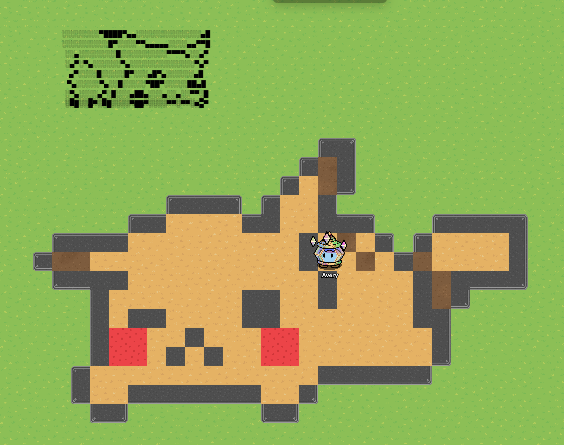
Have you tried camera view?
You can’t really zoom out terrain, sorry! But you could still do text or barrier art though.
Doesn’t camera view only go inwards?
lol, for a second I was so confused
the what now
now I’m perplexed @Immortal_Cap
what’s the spooky topic 
4 Likes
Ohh totally for got that happens 
You can suggest things at gimkit.nolt.io or feedback.gimkit.com[1] but this feature currently does not exist.
Correct
not sure if that works ↩︎
2 Likes
This topic was automatically closed 3 hours after the last reply. New replies are no longer allowed.