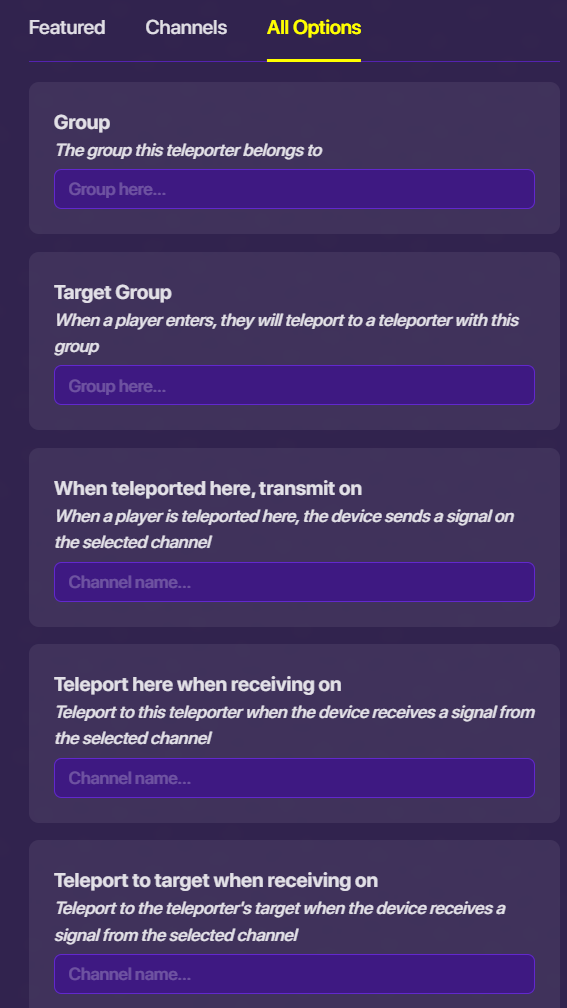
Hey I am kinda new to this website so how do I make a teleporter only be able for one team.

not when a team to activate only one team can go though it
Hey I am kinda new to this website so how do I make a teleporter only be able for one team.
I think just add a button + barrier mechanic that’s team scoped…
hold on I can take a pic (unless Riff gets something better)
Is it a device or a prop.
a teleporter is a device
Place a teleporter device and set it’s group and target to “team”
Add the team switcher: place a team switcher device near the entrance of the teleporter.
Configure team switcher: set the team switcher to the specific team “Team A”
Wire the devices: opening the wire tool, and connecti the team switcher to the teleporter. Set it’s interaction to **When team activated—> Activate Teleporter." or “Teleport player.”
@SuffyPro97 Wow, ain’t no way google literally almost had the same words. You don’t have to believe me but to you accusing I’m using it? Which I’m not. I don’t know how google almost got the game instructions like mine, but that was my own instructions. Not google. You can literally check using an AI detector.
maybe @Hdangerzones you have to connect a wire to something
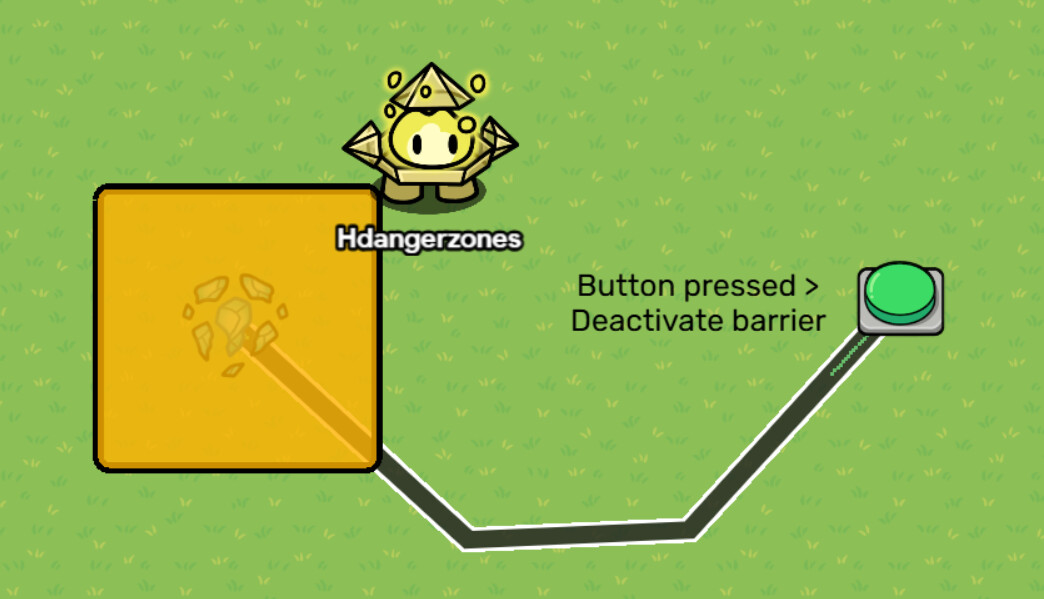
There isn’t a way to make scopes available for a device that can’t configure it. The closest thing I can think of is a team-scoped barrier with a button that can only be pressed once, like this:
When the button is pressed, it transmits on LockButton, and the button also deactivates when receiving on LockButton. This way, it can only be pressed once, therefore allowing only one team to have the barrier deactivated, and having access through that.
Or maybe here’s the easiest and faster method?
thank you for all you help @Hdangerzones @RiFF_NickZ
If this helped, please mark the most helpful response, or me as the solution. Thank you.
@RiFF_NickZ are u using um ai? at least credit the ai
bruh did you just use ai?