He said TEXT, not COUNTER (By the way, people have made ones with text
1 Like
Okay and do you have any links for that? For the ones with text.
I know he said text I changed the overlay to text and it still worked @Lunatheflmsilk can you show me your layout and settings for all your devices?
Which ones? The idea from you or the idea from Bird?
The relay was part of the guide, sorry about that.
My idea
I made it so when a player enters the zone, the value increases, and when a player exists the zone, the value decreases. Here are screenshots of how I did this:
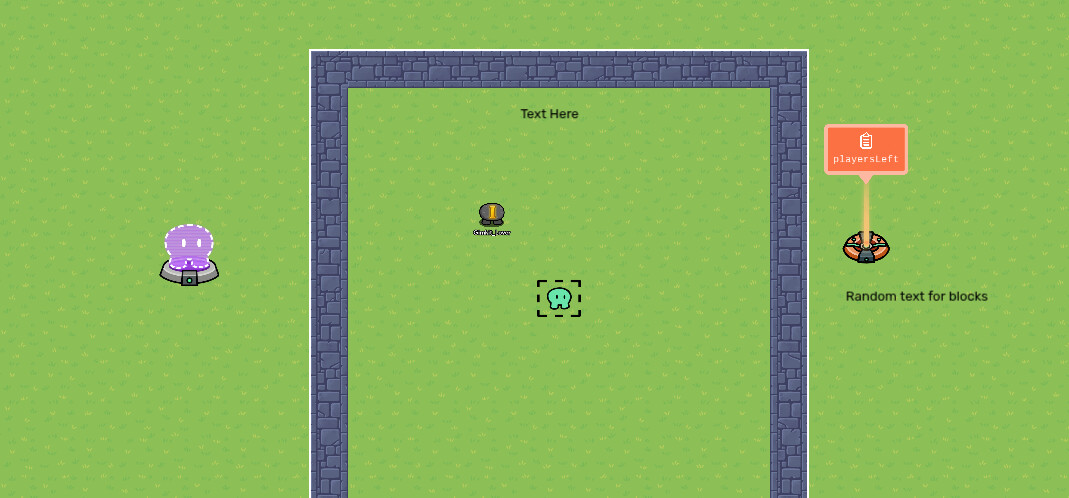
I made a zone, a spawn pad outside the zone, and a property called
playersLeft. I also made another text box, which is hidden somewhere players can’t see. Here are the settings:
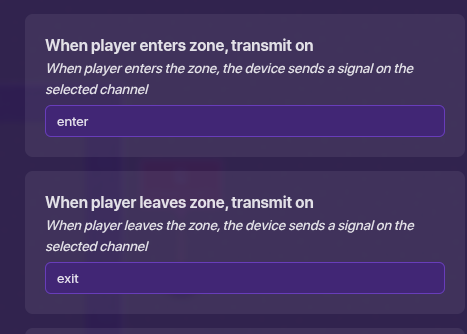
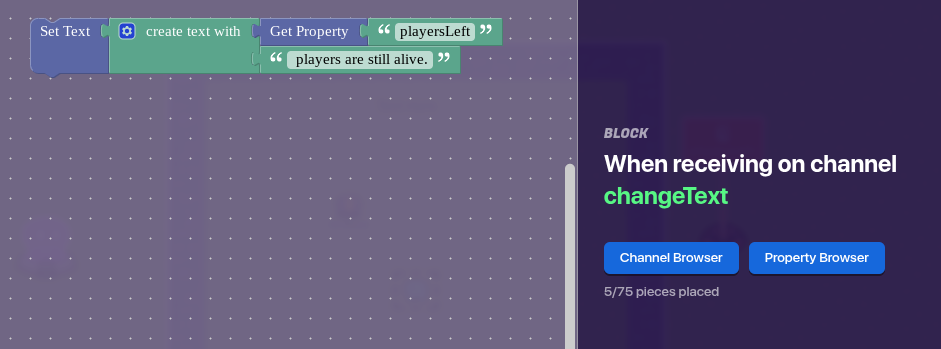
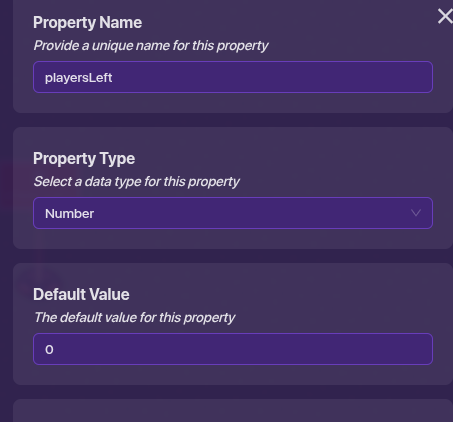

I hope this helps you! 

1 Like
The counter can update a property that can update text ;-;
or the property can transmit to the text device when it changes. Just a thought.
I think you have the text order backwards lol
use a counter linked to the property instead of block code
frfr
2 Likes
Ok here I go. The easiest solution to this would be having a one activation checkpoint placed where the people spawn in. Have that increment a counter and connect the counter with a property. The default value of the property is zero. Connect the property to the text device via block code and have one text box show just the number of people and place an entirely different text device next to the textbox displaying the number and have it say “number of players”.
You place two textboxes so that you don’t have to go through a lot more coding inside the block. Thus, preventing any more tears shed.
This topic was automatically closed 3 hours after the last reply. New replies are no longer allowed.