Idk if this works for you but when I learned block coding a few months ago I learned best by just looking for guides for things I wanted to make in my game and eventually got an understanding of everything.
Basically just follow guides, see what certain things do, and put unique things together.
Hope This Helps :D,
Ps. The thing I struggled with the most was wondering why my properties didn’t work, you need to the the “get property” block to use a property.
Yea you could learn from it by doing/using it. I learned from the wiki and just going head first at them just using them without experience. Eventually, I got the hang of it.
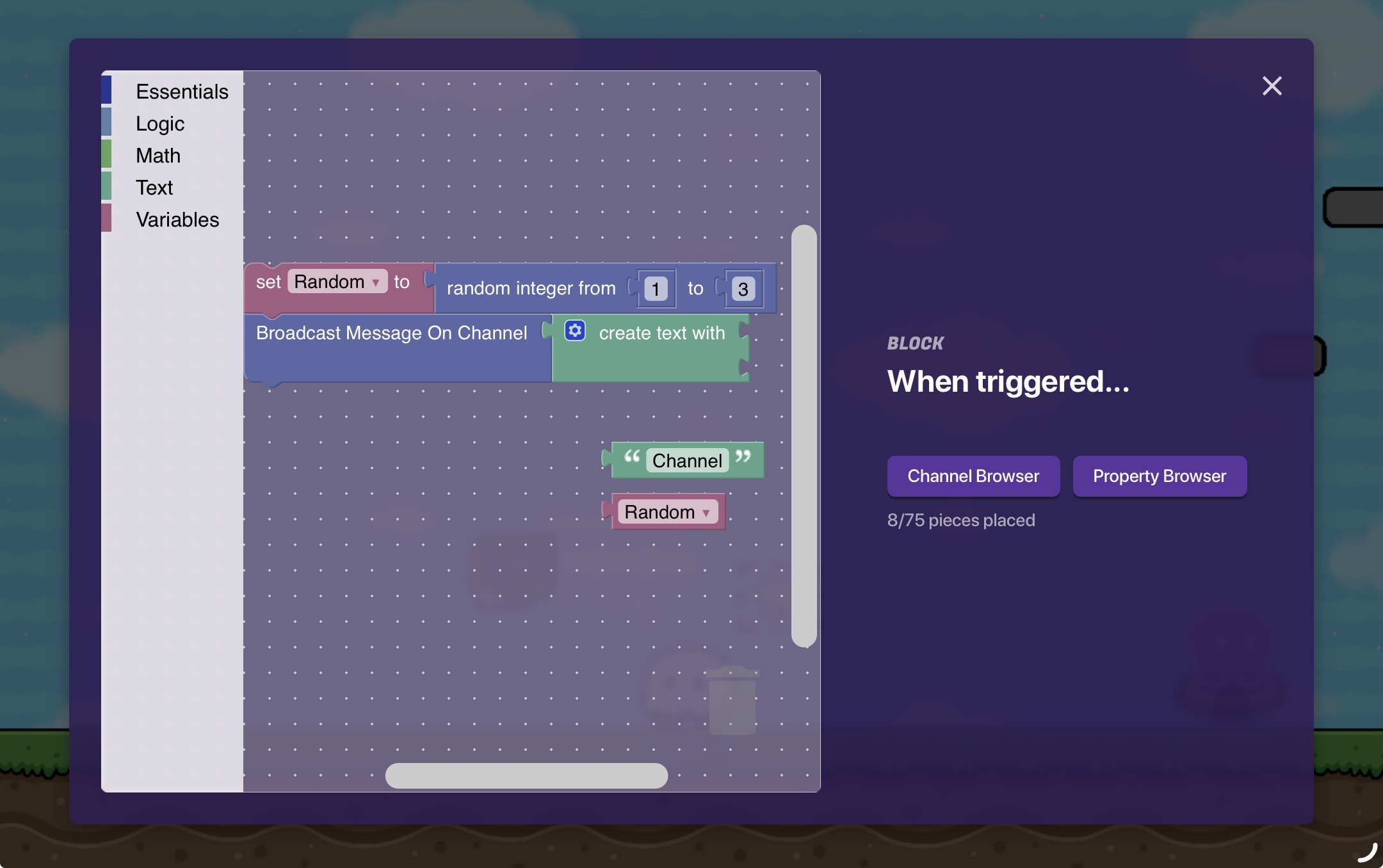
I don’t have a guide I can send you because Im too lazy to search for one I couldn’t find any good ones but I can explain how you can make a randomizer rn.
This is your basic randomizer, small, but efficient (side eyes people with the “if” block in their randomizers.) it basically works by using a variable (you can name it whatever you want) and making it a random number. Then depending on what that number is it will transmit on that channel (for example “Channel2”), btw the two blocks at the bottom connect to the “create text with” block but it didn’t fit in the image.
Edit - Pretty much all block code you make should be in the trigger device if its not device specific (like the notification, item granter etc, they have a section called “device specific” in the block code tab if they
If you can learn from guides I would recommend starting with things like a randomizer or a hunger system because those give you a good understanding of variable and properties as well as a good chunk of the blocks.
Edit - !not advertising! If you need a hunger guide with properties (cuz Im pretty sure all of them got corrupted) I have a half finished guide that I haven’t posted yet.