I have a system where, at the start, you can press a button to talk to someone. Once you progress a bit, I want to be able to have that button disable and another one to enable, therefore giving it new dialogue (via popups). How???
When the player reaches the point where you want them to switch the buttons, have it broadcast on a channel, say, changeDialogue.
In the button settings, have the first one deactivate when receiving on changeDialogue, and the second one activate when recieving on changeDialogue. You can find these settings in the “Channels” section when you click on the button. Make sure the second button is not active on game start.
4 Likes
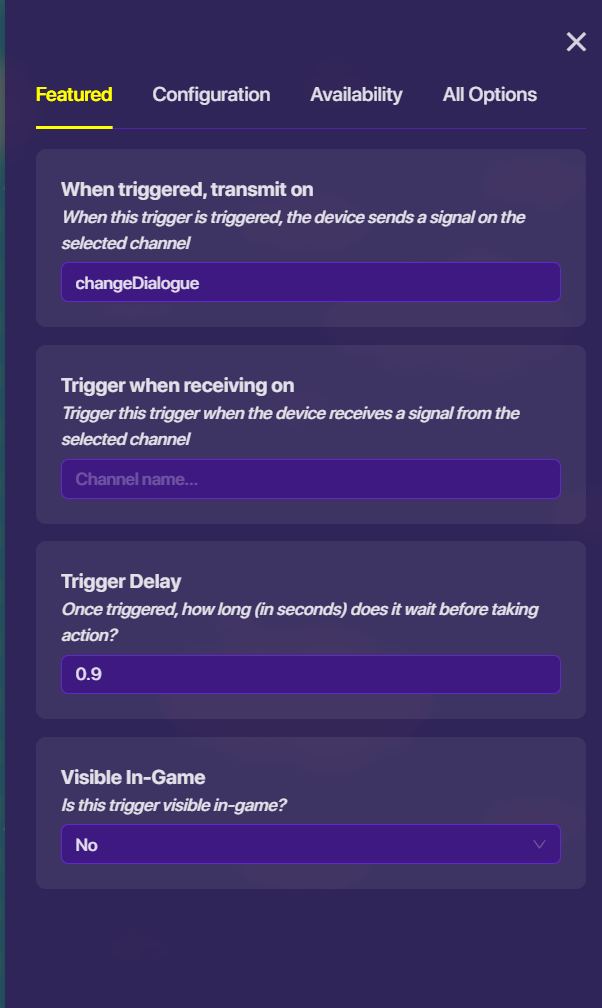
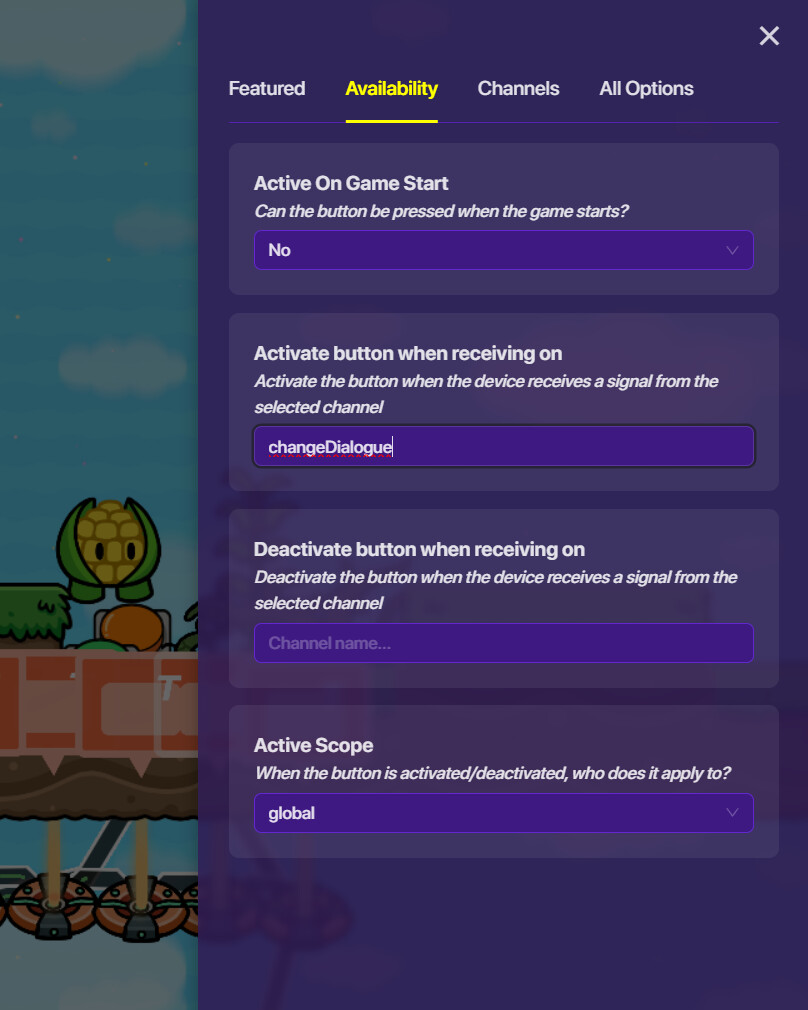
Yep! Don’t forget to have the first one deactivate.
Channels are often better to use a lot of the time, as they don’t take any memory and wires can be difficult to mess with.
If you want the dialogue to only change for the player that triggered the event, set the active scope for both buttons to “player”.
1 Like
This topic was automatically closed 3 hours after the last reply. New replies are no longer allowed.