I’m trying to make it where a button appears after some set happenings but it isn’t working to see more just ask and i will start the game. Pls help
What triggers the button to appear and what current system are you using?
Also codes are not allowed.
Welcome to the forums, make sure to read the FAQ.
4 Likes
you can’t change a button’s visibility in-game, but you could make a barrier art button and put it over an invisible button and then you can activate the barriers when you activate the button
yes, like @jhan said,
WELCOME TO THE FORUMS
5 Likes
What’s happening for the button to appear?
Welcome to the forums!
2 Likes
Hey there, and welcome to the forums! I hope you enjoy ur time here.
You can’t make a button invisible, but you can disable it so it can’t be pressed. When do you want it to be enabled? After a sentry is knocked out? After the game starts?
3 Likes
TheCatIsCrazy and NagiSeishiro are correct, you can make a button invisible, but you can’t make it visible. In the example below, I will just have the simple mechanic of a barrier disappearing, allowing the player to press a button to win
Alternative options (click this it's a drop-down box BTW)
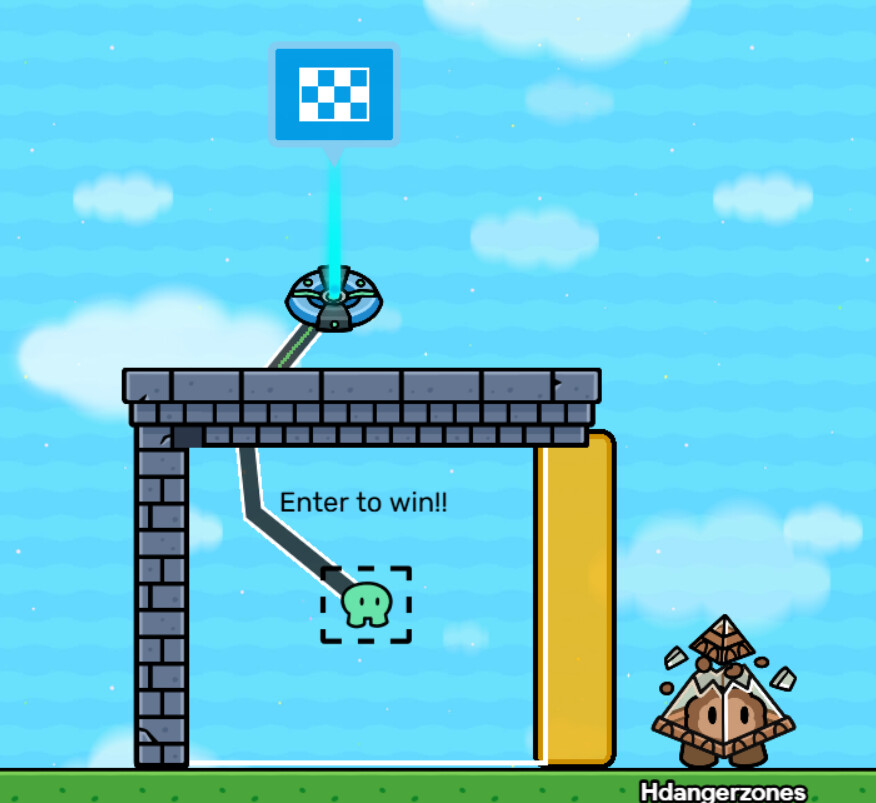
If you press the button to win, I’d use a zone connected to an end game device, and block the area with a barrier. Maybe label it to make it clear.
Maybe like this for platformers:
And this for top-down:
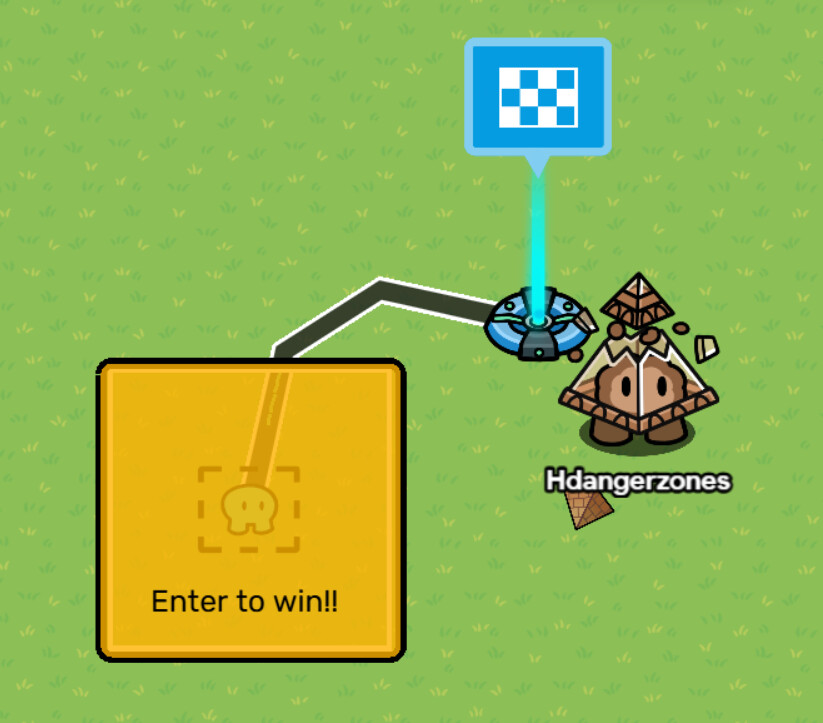
(sorry I’m not as good with decorating in top-downs as I am in platformers…)
It looks like the button needs to appear after multiple things
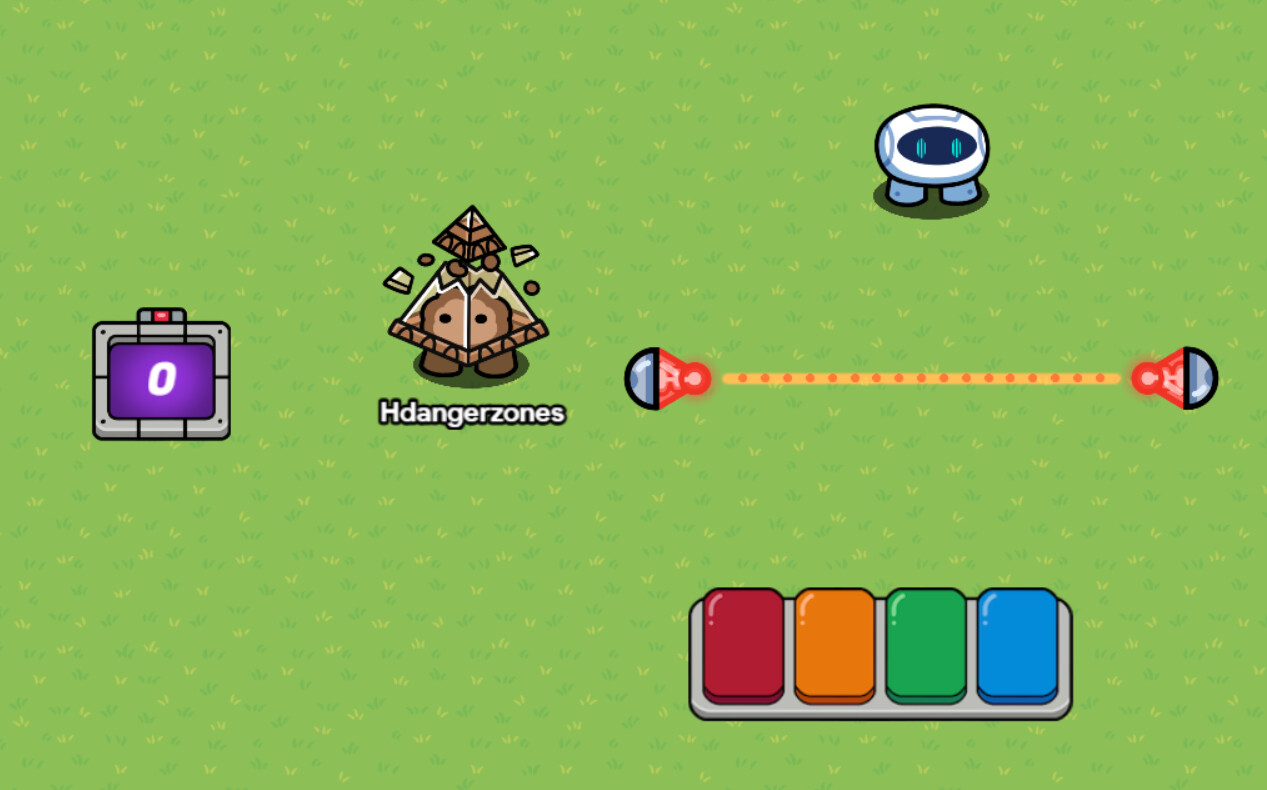
Correct me if I’m wrong, but that sounds like multiple things need to happen. I’d use a counter device (invisible of course). Pictures will be below if this doesn’t make sense.
For example, if I wanted three things to happen, I’d make the counter target the value three, and whenever something necessary happens I’d wire it to the counter to increase it. Then, when the target value is reached you can continue on.
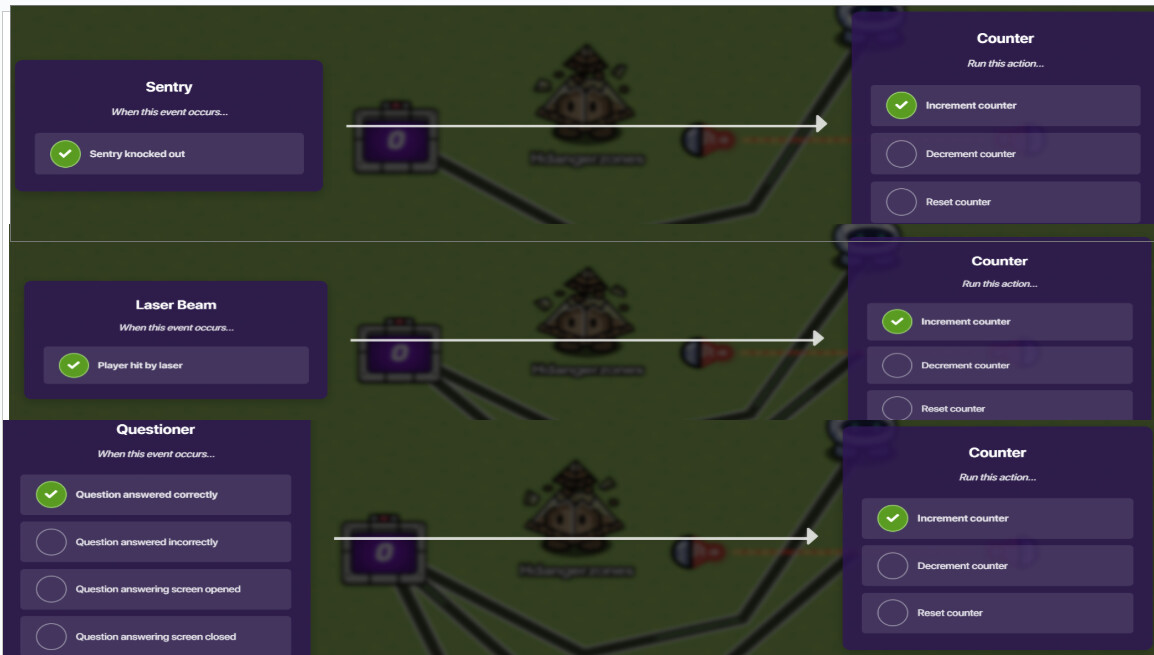
In this example, let’s say I need to knock out a sentry, get knocked out by a laser, and answer a question to continue:
Help why am i mid-blink  It looks like a lil asian kid
Go into the counter settings, and first make it invisible.
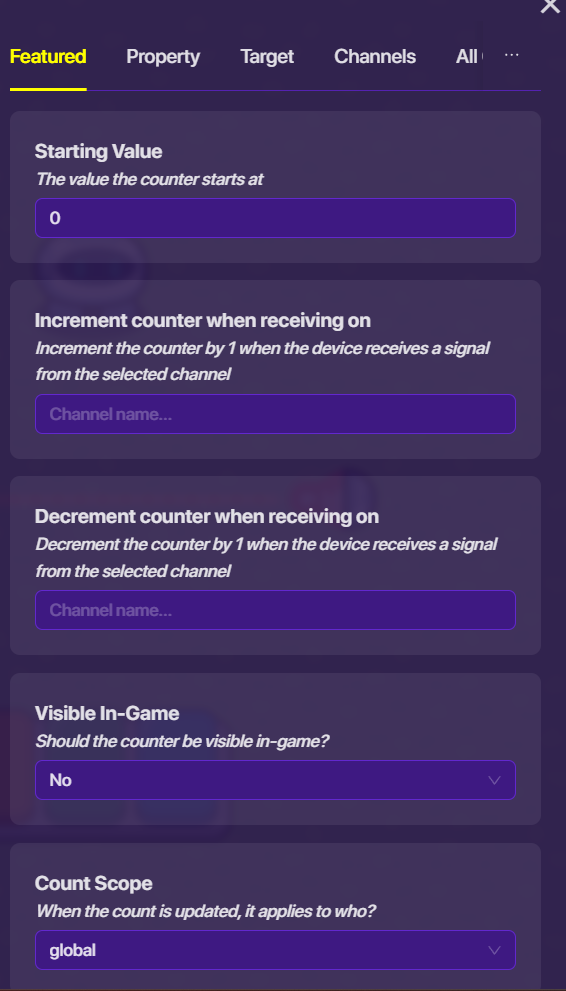
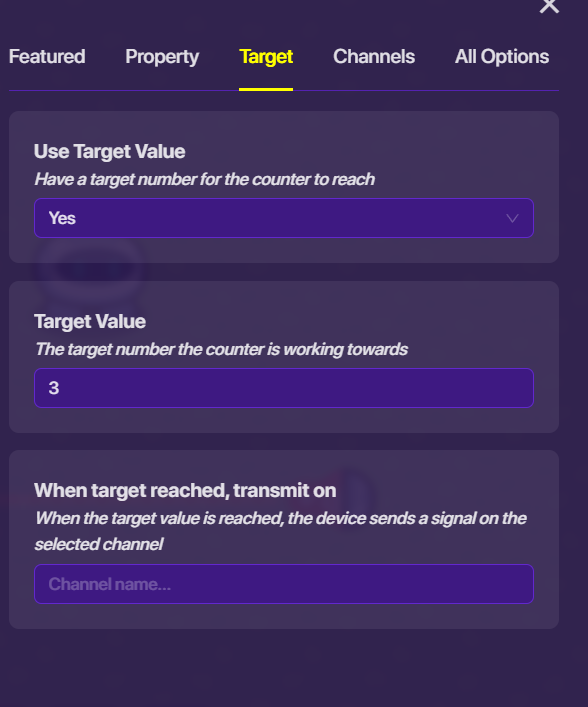
Then, go into the “target” menu and enable it. Since three things need to happen (laser knockout, correct question answer, and knock out a sentry), I put the target to three:
Now, we can wire it to the counter like so:
Now, wire the counter to the barrier leading to the button:

Now, when the barier deactivates, it will disappear and the button will be clickable!
5 Likes
@Zek_the_Wise, here’s a link to the Wixsite so you can post a j0|n code for your map so we can help edit and fix your issue.
3 Likes
You basically make that when whatever you want to trigger it, it makes the button work, make the button not useable on game start so it remains useless until being activated, then wire your next device to the button, showing it when whatever happens happens.
Minor note for Suffypro
You already have been suspended for AI once, and most of your solutions are obviously AI, I know you want to help, but you aren’t helping, AI is asking mistakes and cluttering topics due to those mechanics not being possible, I encourage you to make your own solutions instead of relying on these tools. Some people will allow it, in that case, please credit AI and not plagarize  P.S read my bio for a quick recap
7 Likes
Here’s what I’m getting:
The “button” is a Game Overlay Device set to Button.
So you should wire from a device to a Game overlay device. For the game overlay, set it not to be active at game start.
No, It’s a button.
2 Likes