There’s a bug where I try to edit something(devices, props, etc) There is a blue box around the item and I can’t edit anymore. There was a same topic on this and it says it was fixed but still isn’t
reload the tab/reopen the game
works every time
5 Likes
Welcome to the Forums @DUcky1
Remember to read the guidelines.
Also I also had this bug for many times in Gimkit Creative. I only could fix it after I closed out the tab and reopened it.
4 Likes
yeah but after like 20 seconds the bug comes back again
4 Likes
spare us images
5 Likes
maybe restart the device then
3 Likes
currently there is no solution. You can close the game and open it again but it will probably always appear eventually. If you have a touchscreen, don’t use it but other than that there is no solution currently.
5 Likes
mark a solution if you have found an answer!
it’s the box to the left of the  that looks like this:
Solution
4 Likes
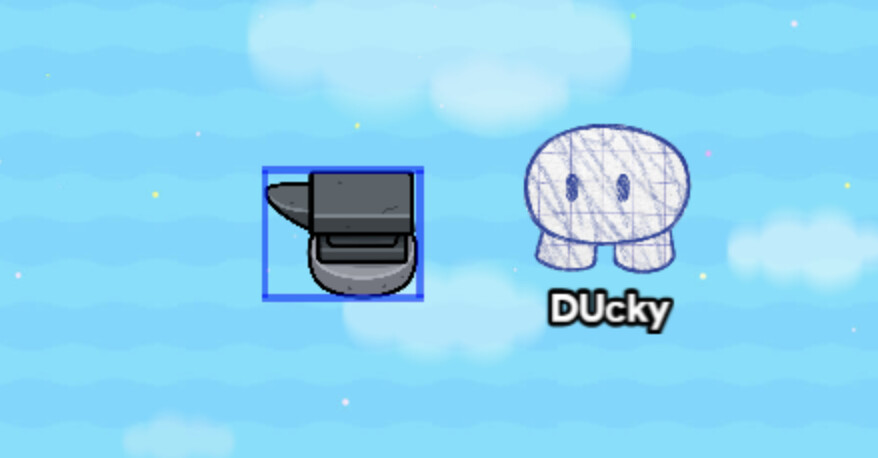
oooooohhhh I get it
the game thinks you’re dragging the mouse when you’re clicking on it
That’s a problem with your device
oh.
2 Likes
yes, that has happened to me and the only solution is rejoining which it can still happen
no, its a problem with gimkit
3 Likes
For me I think I restarted my computer which fixed my issue for a couple of months.
If you found your solution mark a solution please!
2 Likes
Have you tried drag-selecting the prop and pressing m on it to move it? That might make it correct itself after you move it, if that works. If it doesn’t work try putting a prop that doesn’t have the blue box around it, drag select both, press m to move, and that might work. It probably won’t, though.
I’ve never encountered this issue before I’m pretty sure, so I have no experience on how to deal with it.
2 Likes
That won’t work. The only solution to this glitch right now is rejoining the game. When it happens, it usually applies to all props, devices, and wires in game along with new ones you place.
2 Likes
I’ve had this glitch a lot. Just make a new session. Now I haven’t read anything else in this topic, so i’d assume this has already been said but…
Just thought i’d put my two-cents in.
1 Like
I had this glitch a lot, and finally found a real solution!
Just press alt, and it should work fine again :)
2 Likes
For me it means that I’ve selected it. If I press layers it pops up and then I can edit it. I’m not sure if this is normal though. I’ll send pics through tomorrow. This works for me on pc @Heliolatry
@4LC_Lynx who is imposta? Also please only post once to save clutter. @DUcky1 if you want to know just test it.
2 Likes
Are you playing on PC or on mobile?
It looks like you have the object selected, and since GKC isn’t supported on mobile (especially touchscreens), it may be that you tried to move the object and it thought you were drag-selecting it instead.
If you’re on PC, make sure you’re using M to move objects. You can’t move objects by clicking or dragging with your mouse, unless you enter the object’s options and click “Change Size,” which doesn’t seem to be the case here.
If this is happening on its own, without your interference, and reloading is not helping, I would suggest contacting Gimkit.
@MikeyJonn alrighty
1 Like
Yall just press alt 
Credit goes to imposta bc he was the one who discovered it
Press alt.
credit goes to imposta