is there a way to have a players fov zoom out farther (example, like when you manually do that in editor mode.) but when you play the game. and it will zoom out when you stand on a certain spot.
1 Like
You cannot currently zoom out in game, only in the editor.
That only zooms in though, not out.
2 Likes
Just use a camera view, and resize it to how much you want the player to see. When the player steps in that zone during the game, their screen will adjust to the size of the camera view.
True
@Riptidetrident There is no current way to have a players fov zoom out, only in.
3 Likes
In the map settings there is a way for players to be able to look around by moving their cursor/mouse
If you go into the map options under the settings, and view all options and scroll ALL THE WAY DOWN there is a drop-down that can enable it
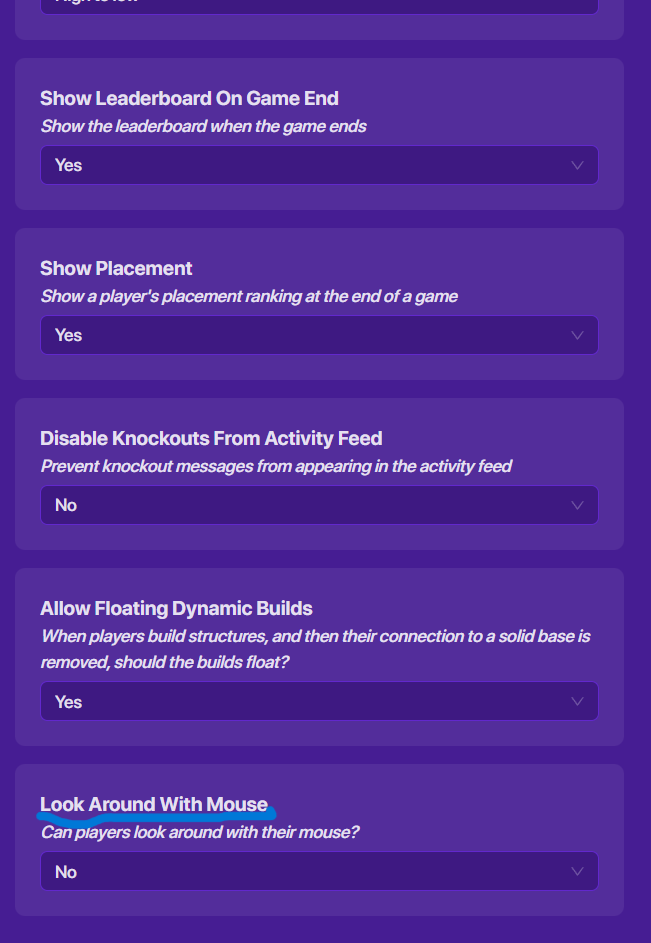
2 Likes
that just makes the player be able to do what they can normally do with a gadget
1 Like
Increasing the players fov is currently impossible in GKC so can we please stop replying and let the OP mark a solution or just let this fall to the bottom of the forums please?
Ty,
2 Likes