I need help getting to work
Ok… Make sure the size is correct, they have to be within a range. Can you send pics maybe? Is this for your map?

It’s a specific file type that is allowed as an uploadable thumbnail image. I never figured out how to change file types of images, so my map from 2-3 years ago is a random picture with white bars on the sides.
Oh yeah, size is also a factor in if it will accept the image.
And cool thumbnail!!!
I have a voice in my head telling me it looks AI, but I don’t care, it looks cool.
it wont accept it at all
What type of image is it?
jpeg, PNG, etc.?
1 Like
Crop it down, to pixel size needed. I think most screenshots work. I couldn’t upload my first one on my PC (not Mac or Chromebook I have a real PC) so I had to try an iPad. Maybe do the same? [1]
AI ahhh thumbnail ↩︎
1 Like
It is a Jpeg I think
Jpeg won’t work I’m pretty sure. I think from what I remember it had an lht or something like that for the file type required.
Never mind its Jpg sorry
Try taking a screenshot of the thumbnail and upload that.
If it works please the solution @LionPride109
Sry Alex misclick didn’t mean that. Ur welcome 
@AlexC I didn’t mean to ping you whatever also he got solution good ideas anyway.
3 Likes
okay good sir it worked
What did you click that you’re apologizing for?
Also,
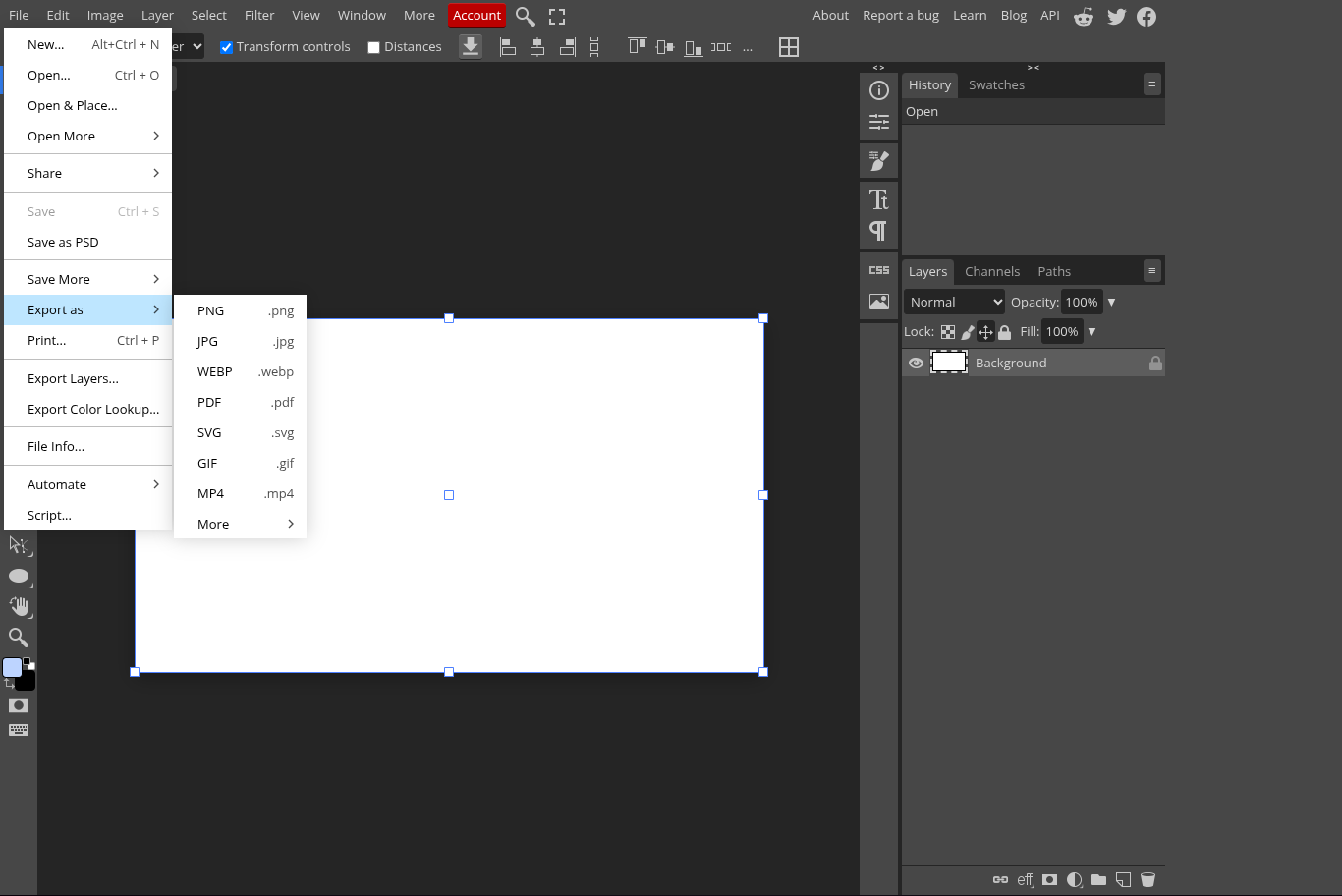
A site called Photopea can upload as different files, so you could add the image and export it as the file type you need. Photopea is very memory usuage though (record high for me is 4.7 or 5.7 Gigabytes while open).
Oh, well I’m still online so it doesn’t matter if I’m pinged. I actually don’t mind at all, really.
This topic was automatically closed 3 hours after the last reply. New replies are no longer allowed.