Hello, it’s me Average, and today I will show you how to make an easy cash checker!
This basically shows an notification topright that shows you when you have the money to purchase something,like an upgrade.
This can be used in simulator games, and more!
First you will need some materials.
Materials Needed
1 Checker
1 Notification
1 Button
1 Item Granter
Aight Let’s begin!
1st Step (Item Granter)
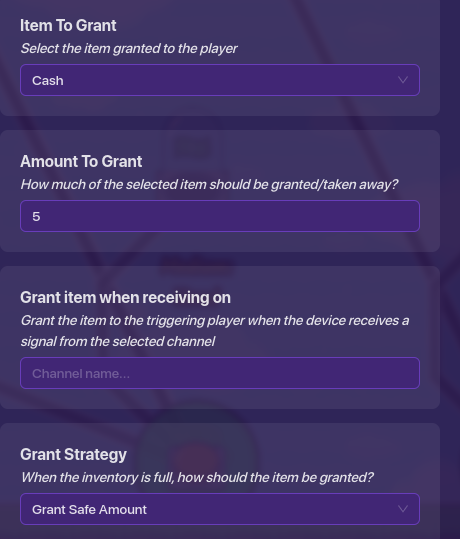
First, drag out an item granter, and make it have these settings: (you can change how much it gives you to whatever you want)
2nd Step (Button)
now, drag out a button and make it have these settings:
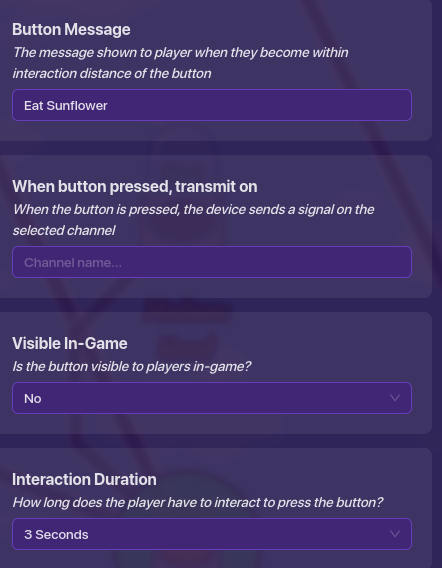
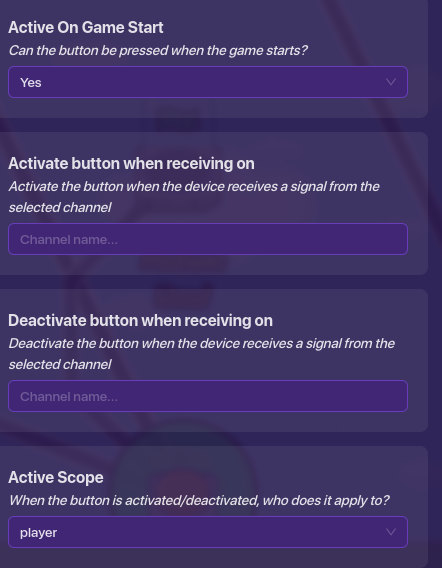
you can change all those button settings to your liking, except for the active scope, because then everyone would see the notification when 1 player activates it.
3nd Step (Checker)
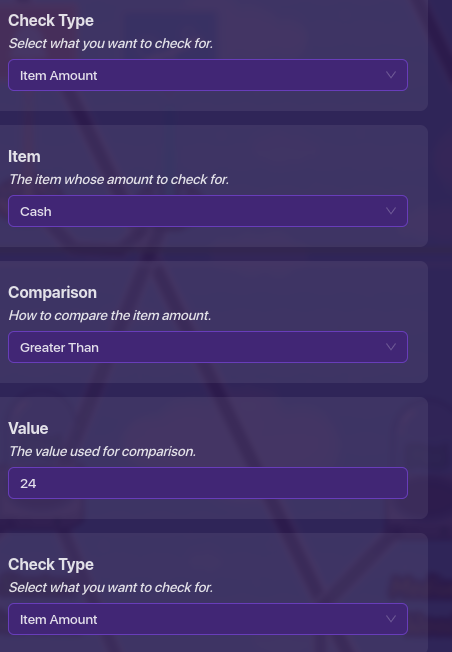
drag out your checker device, and change your checker to these settings: (in my example, if I wanted to check and see if I have 25$, so I would make it check for 24+ Cash in my inventory.
that’s why I put mine to 24, but you can change it to whatever amount you want.
4th Step (Notification)
So now, same thing, drag out your notification, and make it have these settings!
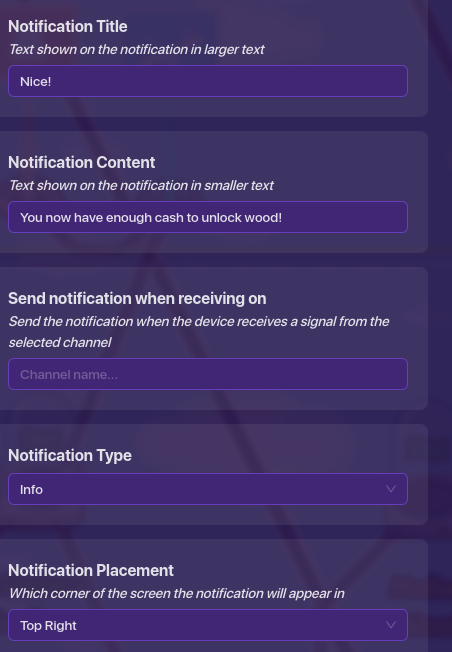
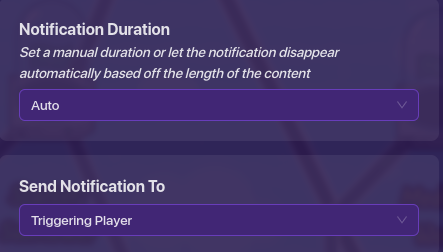
(you can put the title of the notification and the text shown on it to whatever you would like, it’s just that’s what I put for my game)
easy so far, huh?
on to the 5th!
5th Step (the final step!)
So now all you have to do is make 2 wires. 1 that goes from the button to the checker that says:
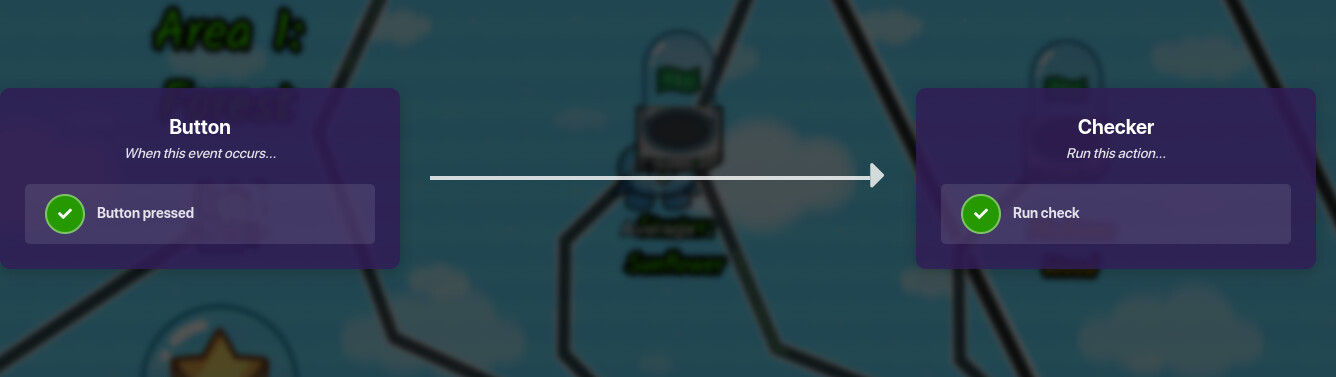
and another wire from the checker to the notification that says:
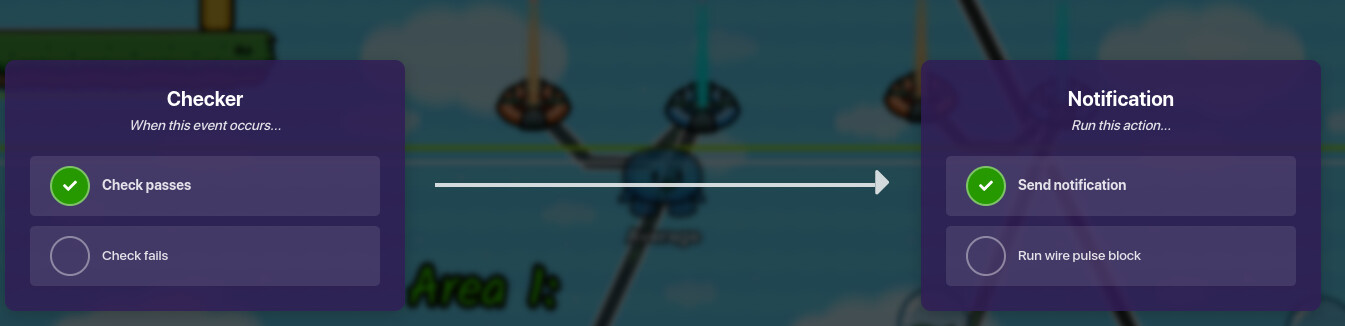
[/details]and also one from the button to the item granter that says:
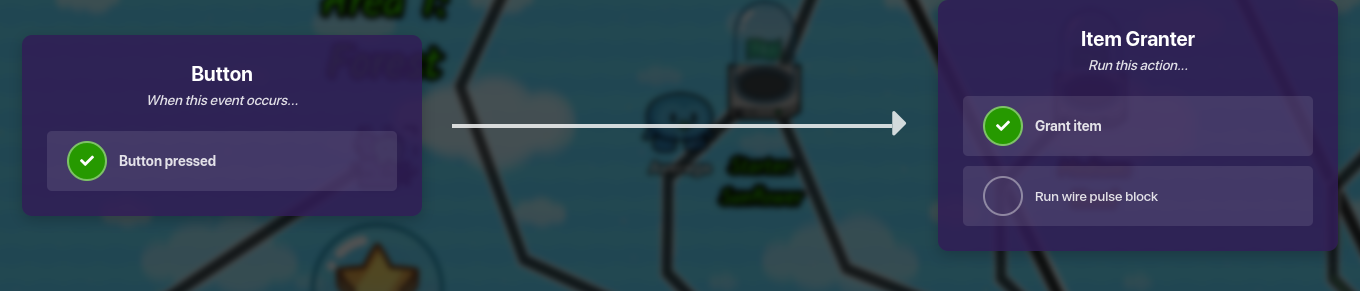
aaanddd…
done!
so now, you keep pressing the button that grants you cash until you get a notification that says when you have the required amount of cash!
Hope you enjoyed, and have a great day!
-Average
 )
) )
) )
) )
) )
) )
) )
) )
) )
) )
) )
) )
)