camera system (fixed): in this guide, I will show you how to make a camera system with interchangeable buttons, all while still being able to get attacked
in this guide you will need:
2 (3 optional) teleporters
1 zone
2 (3 optional) game overlays
4 (8 optional) barriers
1 (2 optional) any prop
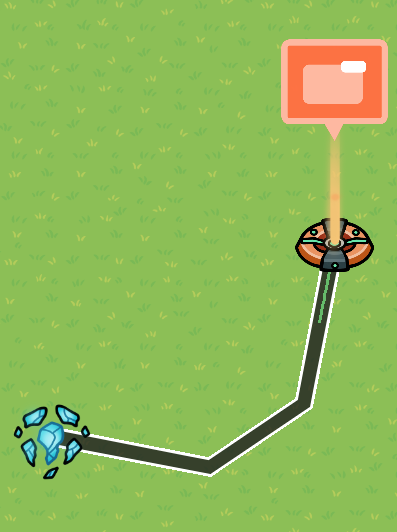
so, to start we’ll need to place down 1 teleporter where you want the player to teleport when looking at the cams. now place 4 barriers around the teleporter.
when done correctly it should look like this:

now place 1 game overlay, wire it to the teleporter, and make the settings this:

now, name the overlay, and make it so that when you click the button, it sends a signal.
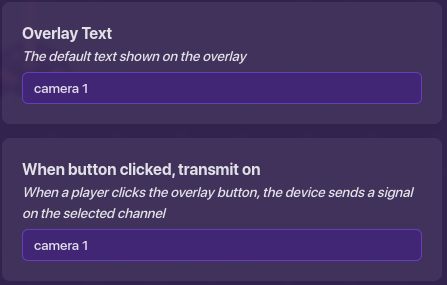
now make that the signal that hides the overlay.
now, you can copy the overlay and teleporter, then change the name of the 2nd overlay, and the teleporter (this will be placed in the office)
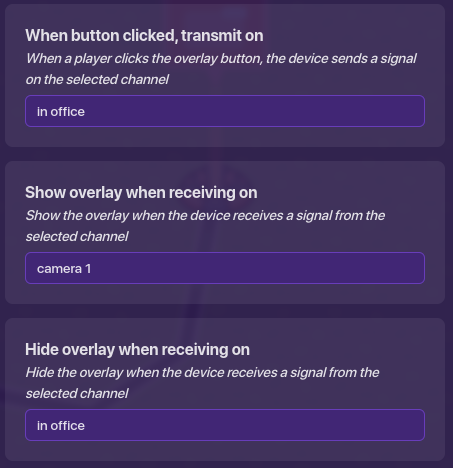
now change the name of the signal that the button transmits, then make that the signal that hides the “return to office” overlay, and shows the other (copy on the other side)
return to office
camera 1
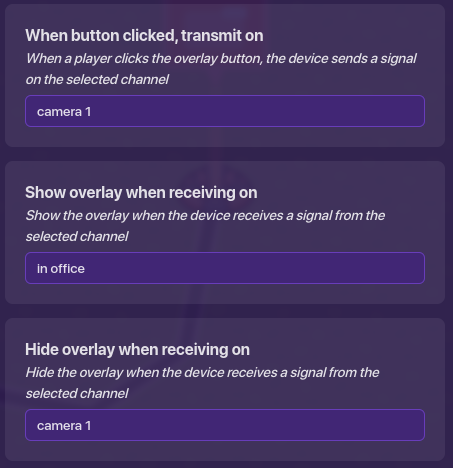
now you can place a camera view and a prop, then you’re done! (with one camera)
for 2 cameras
so, if you want 2 cameras (or more I don’t care) just follow this guide:
copy the camera teleporter, barrier system, and overlay

now set the overlay channels to:
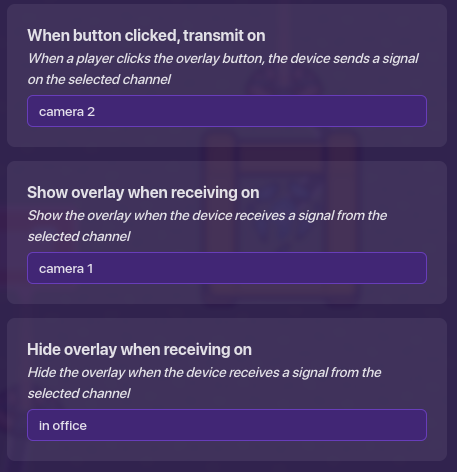
finally, change the position of the overlay
thanks for following this guide be sure to check out the rest of my work and I’ll see you in the next guide!
update: place a zone in the office and make it activate when you click the camera 1 button and deactivate it when you go back to the office