Pixel art is a fun and innovative way to create art in Gimkit but if you think barriers are too hard and take up too much time resizing, editing colors, transparent-ness etc them here is a simple way to making pixel art (a character!!) [1] which will make your map more interesting.
settings
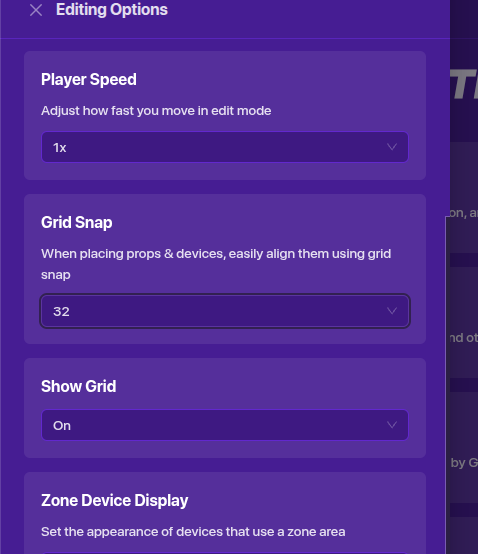
To make it easier you’ll need to go to editing options and switch on “grid” and set it to 32 (or any of your choosing.)
Making the background
Today we are making a character but it can be yours, your dream skin, custom, or the one I’m making or of course it doesn’t need to be you can create whatever you want!
anyways
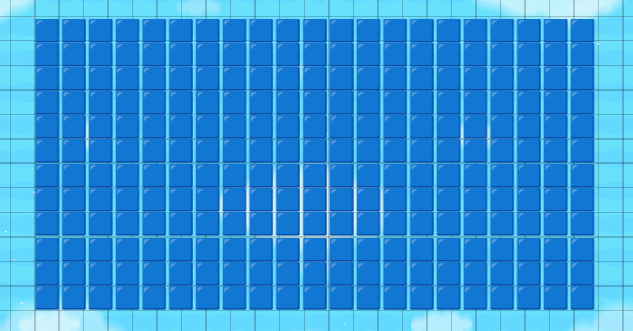
Get to emojis and look up a color (I prefer blue but any color works) and put it in a text you can make it as big or small as you need. Because I said this is a simple guide we will not make the shape of the gim instead the next text.
Tips
- copy and paste the first text into all the other texts to make them the same
- Texts will stop if you make them too long, keep them short but not to short. (if you know what I mean

- Text size will fit into 32 grid if it’s 28.
making the gim
This is the hardest part of the guide but read carefully and you will get it.
this is my skin that I will be using for this part because its easy and not commonly used so a bit unique too. (unfortunately people these days wont appreciate maps with high quality and uniqueness only the brainrot and terrible difficulty chart maps  )
)
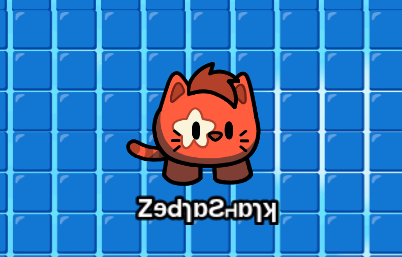
So this step is similar in fact we’re doing the same thing only its going to be a bit harder so heres some more pictures coming your way
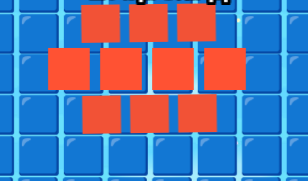
the base of your skin is a circle unfortunately pixel is only squares but that’s alright because guess what? There’s a square hack! I made the middle 3 squares (don’t say it)size 67 and the top and bottom text 63 this way It looks like a circle when its not
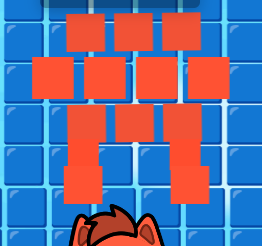
For the legs its two texts each with two squares. The top is 50 and the bottom is 63.
Details
To finish up lets add some additional features with text these are up to you completely
INSERT IDEAS HERE
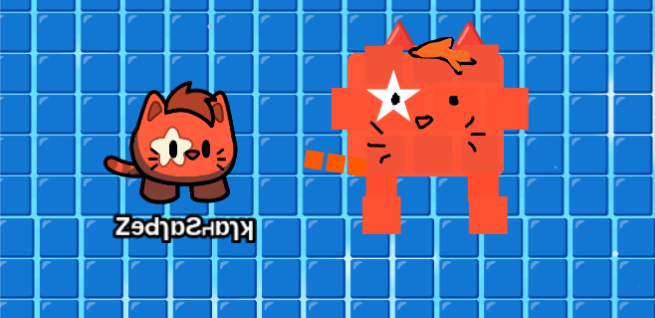
In the end you have a character that can be used in thumbnails or just decor with plenty of other possibilities.
optional poll
Should I make an advanced guide in the future?
- Yes
- No
Have fun building! (or you just read it to answer the poll if you are anything like me bored and scrolling through the forums)
How hard was this guide?
- 1/5

- 2/5

- 3/5

- 4/5

- 5/5

- CHEESEBURGERS