Yahoo works and Opera is a little slow but it works too.
3 Likes
If I’m right, Gimkit creative is not supposed to be used on mobile
1 Like
Maybe, maybe not
That’s why that wiki post is there, to eliminate things that are ok to trace the problem to a certain point
4 Likes
isn’t that “certain point” the chrome web issue for some of us?
3 Likes
I don’t know whether the all purplr screen will load me in.
It won’t, it’ll just be stuck there loading forever
1 Like
I know slow mode is on and I’m sorry, but Chrome is working for me now (It won’t let me edit the wiki post)
2 Likes
 !
!
You sure? Tried reloading/cache clearing yet?
1 Like
yes, I did that @Boss_1s , look, still the bug.

And by the way, someone please lower the waiting time for each post, I had to wait 4 hours just to be able to answer this, And I also can’t edit my posts, it tells me I have to wait 4 hours. at least put it in two hours, I guess
2 Likes
Right, when I was playing the ‘just a normal game’ in trending, whenever I pressed a button, the prop disappearing bug happens. 
3 Likes
I went into a Chinese search engine, Baidu, and it works perfectly fine.
This was on both PC and mobile, but on mobile, during my trip in China, I had issues. The two problems were that some of my current work-in-progress games, which were above 14% or more memory, couldn’t load anything, and that my Gim was splayed out, like a spine file. I don’t have a screenshot because it occurred at the only time I went on.
3 Likes
@Blackhole927, @CommanderGOAT, @Unstable, can 1 of you get this out of “slow mode”? I want to edit the post.
3 Likes
I have the same issue. When I reach certain points on the map, the props disappear, the Gims disappear, controlling my Gim’s movement is locked, but I can still use the menu features.
I had a big issue… 99% memory game, and my spawn location was set in a spot that this glitch would occur on load in, I worked around it by bringing another player into the editor (because I had an alternative spawn location for them) and gave them editing permissions and zoomed in, to move my spawn pad away from the glitch location. At least my main account can now load in, but the glitches are still present. Sad face.

2 Likes
Welcome to the community @TheAndrewInTheRoom! =D
What browser are you using and on mobile or computer? (Also since your new, blur game codes please =D)
3 Likes
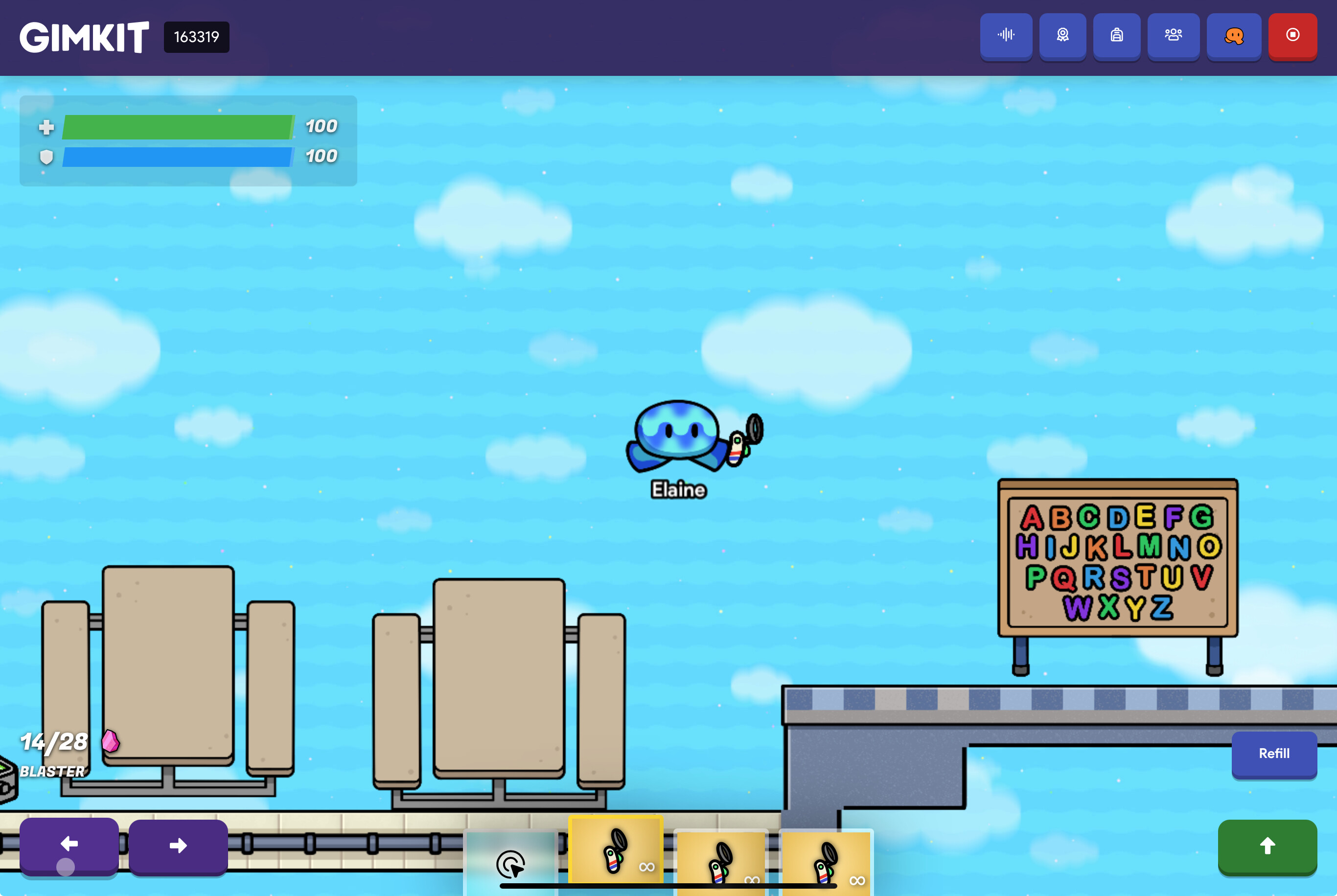
Another bug! (non-repetetive)
When I was playing the please play my map it kinda s*ck game in Discovery, I got stuck there and all I could do is change item slots.
4 Likes
There could be invisible barriers or something there, otherwise this is a bug.
2 Likes
I did this before at the same place, I did not get stuck.
4 Likes
You can reload out of it right? Or do you get stuck in the same place every time?
1 Like
When I reload it just ask me to rejoin. I don’t get stuck at the place every time, but I only played it once.
4 Likes