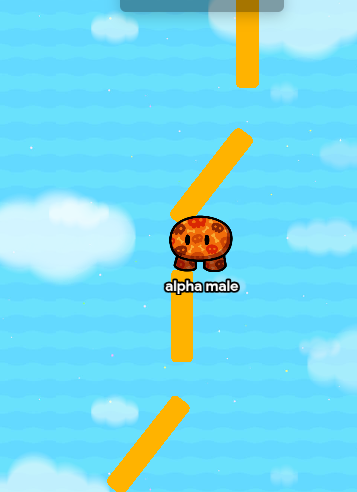
I need help with my game please

That’s what I was thinking. It’d be a bit complex, but I’d go into the spawn pad settings and set it to where only Team 1 can spawn there, and then add a button. The button’d deactivate a player-scoped barrier so everyone can get through. But it’d also increment a (team scoped) counter. It’d update a property called Team 1. Now, at the flag, I’d add a zone that decrements the same counter (via channels or wires). Add a checker wired to the zone as well. The checker would check the property value, and if it’s 0, then the game ends

HOLY TEXT WALL I’ll add pics and a better explination later lol

2 Likes

ok you can add pictures later and I made 4 barriers so it gives the runners some time to get ahead

2 Likes

My example’s top-down (all my maps are top down lmao) but you can do the same thing on platformer (just wanetd to let you know)

2 Likes

one more thing I need to know how to do how do I make only one team have gadgets?

1 Like

Starting inventory (I’ll send pics of that too and dw I’m working on the finishing thing too)

2 Likes

ok think you I hope it works

2 Likes

Wait that won’t work… I’d add a zone wired to an item granter in their base (or right outside of it). It’d be best to be inside of the base, because the other team can just go and get it (which isn’t ideal).


Something like this

1 Like

do you know how to make the end game work without starting the game then it ends immediately

1 Like

dude, just do the tutorial for gimkit creative

2 Likes

Wire a button to the end game device so it’s end game when button pressed.

2 Likes

I already did and to be honest for me I don’t have great memory and havn’t even done it for a year or else I might be good at it

1 Like

you could also do the same thing that suffy said but with a zone instead of a button

2 Likes

THEY"RE DROPDOWN BOXES CLICK THEM TO SEE WHAT I WROTE

Beginning Part
Step 1 - Spawn Pad

Ok so this is the spawn pad. I set it to Team 1, assuming that Team 2 is the tagging one. If Team 1 is the tagging team, then set the spawn pad to Team 2.

Step 2 - Button and barrier

Now, add your button. No changes needed here! (except for the button message that can be whatever you want it to be).
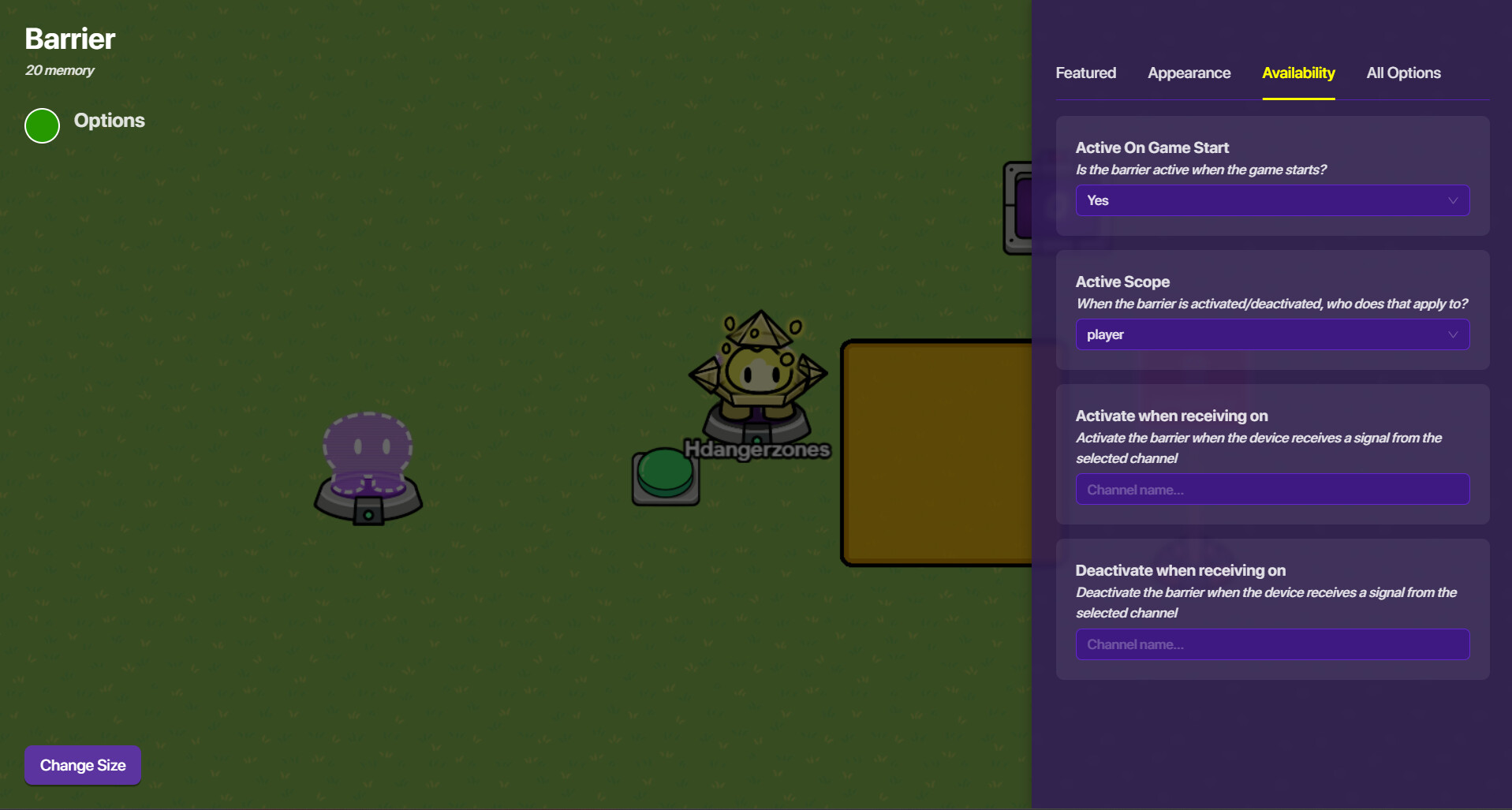
All you need to do for your barrier is change the scope from global to player, like this:


Now, wire your button to the barrier (button pressed > deactivae barrier).

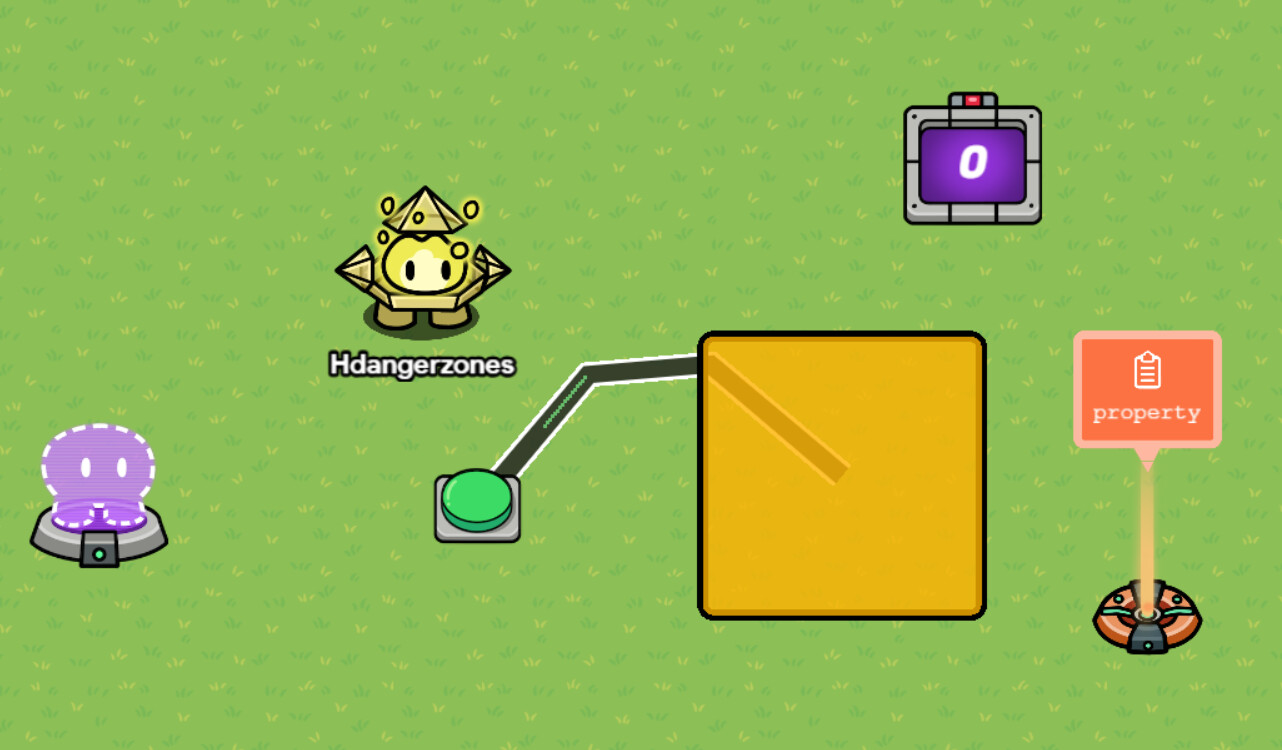
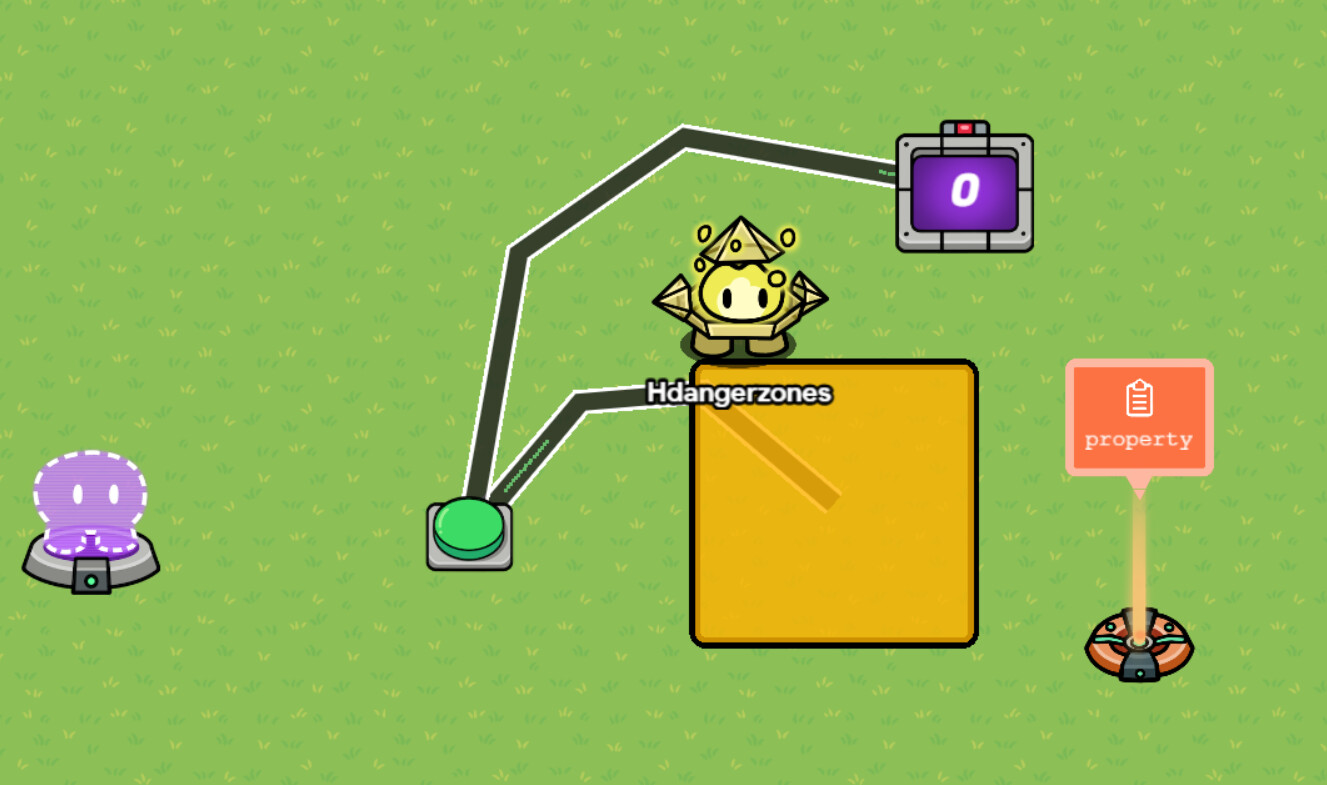
Your setup should look something like this.


Now, here’s where it gets interesting!

Step 3 - Counter

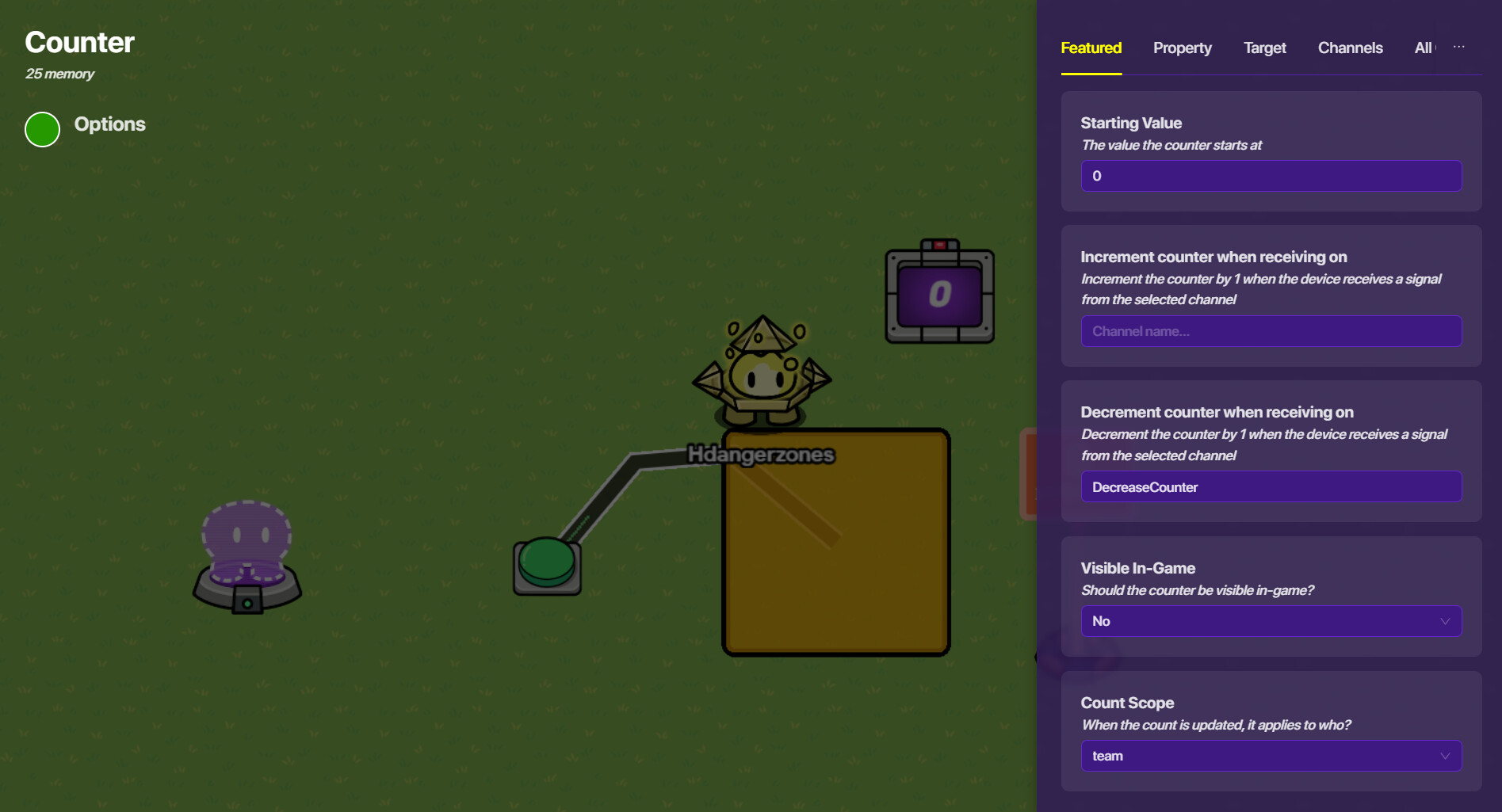
Go into your counter settings next. Change the scope from global to team. Also make it decrement when receiving on DecreaseCounter.


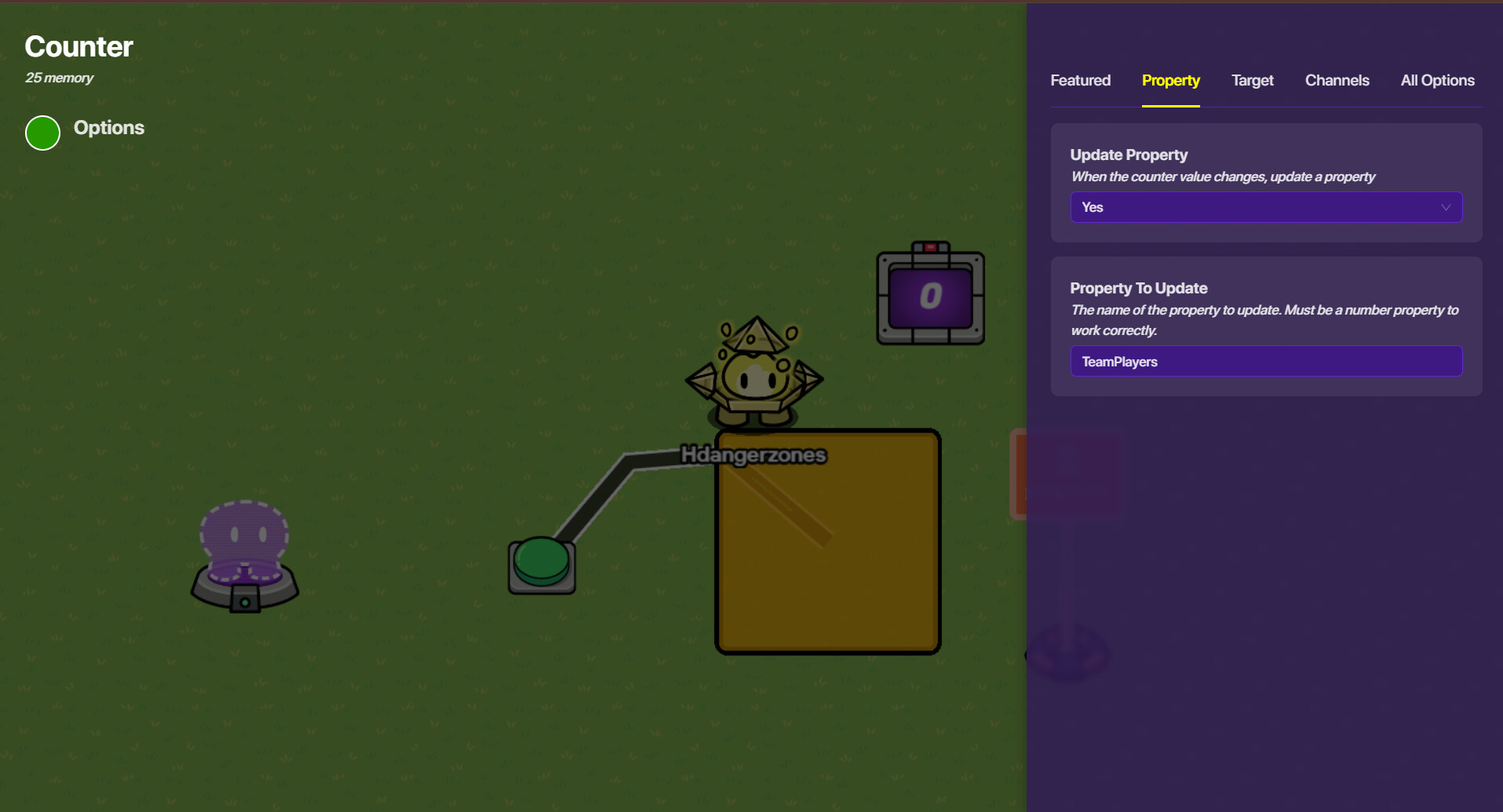
But we’re not done! Go into the property menu, and select “yes”. Now, make it update a property. For mine, I put TeamPlayers.

Wire your button to your counter (button pressed > increment counter).

Step 4 - Property


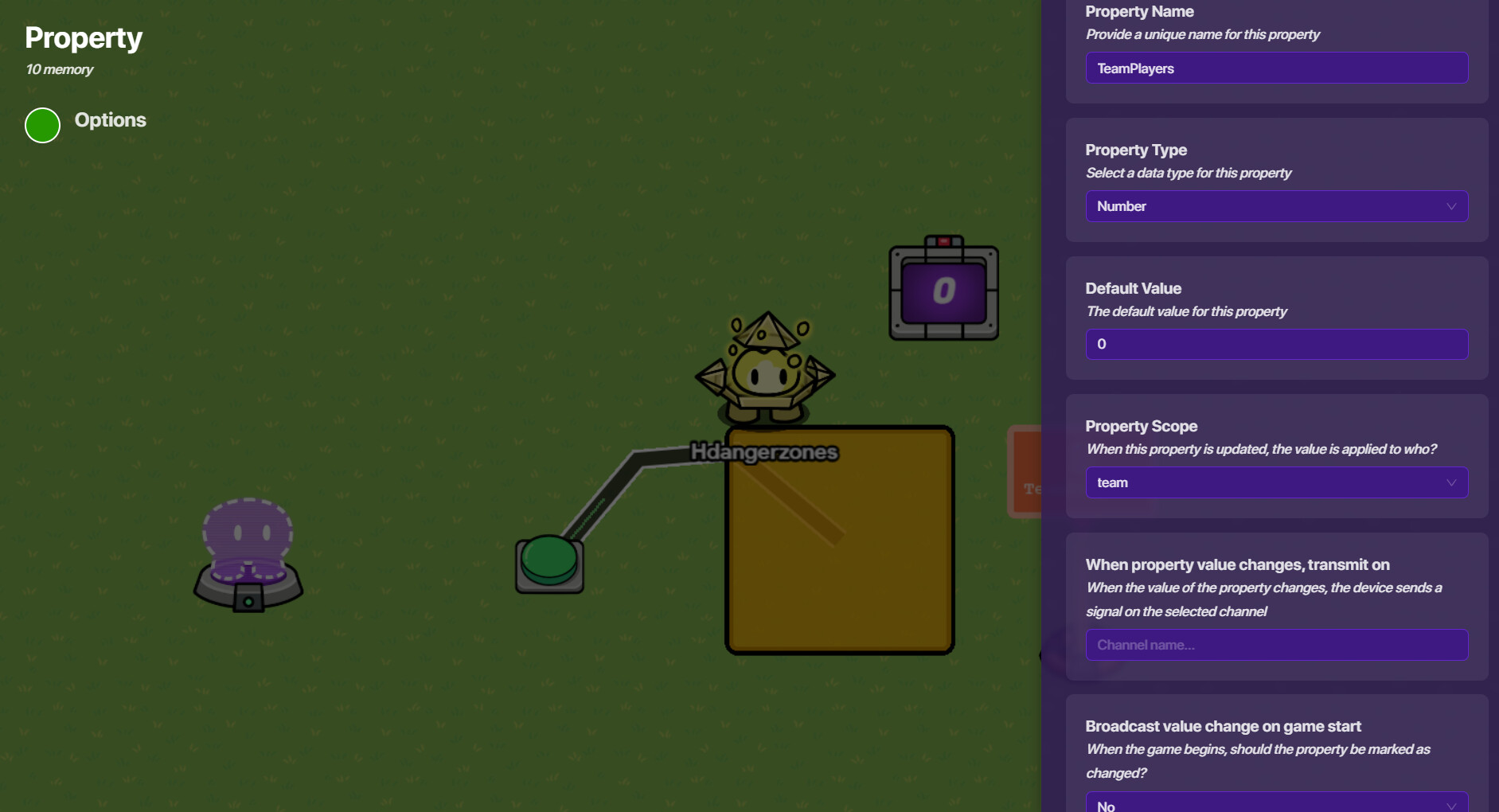
Now, grab your property! Unsurprisingly, it should be called TeamPlayers. Set the property type to number and set the scope to team.

End part

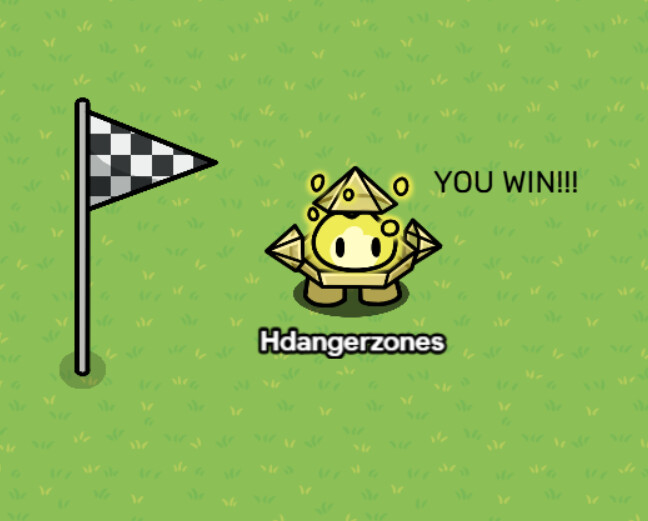
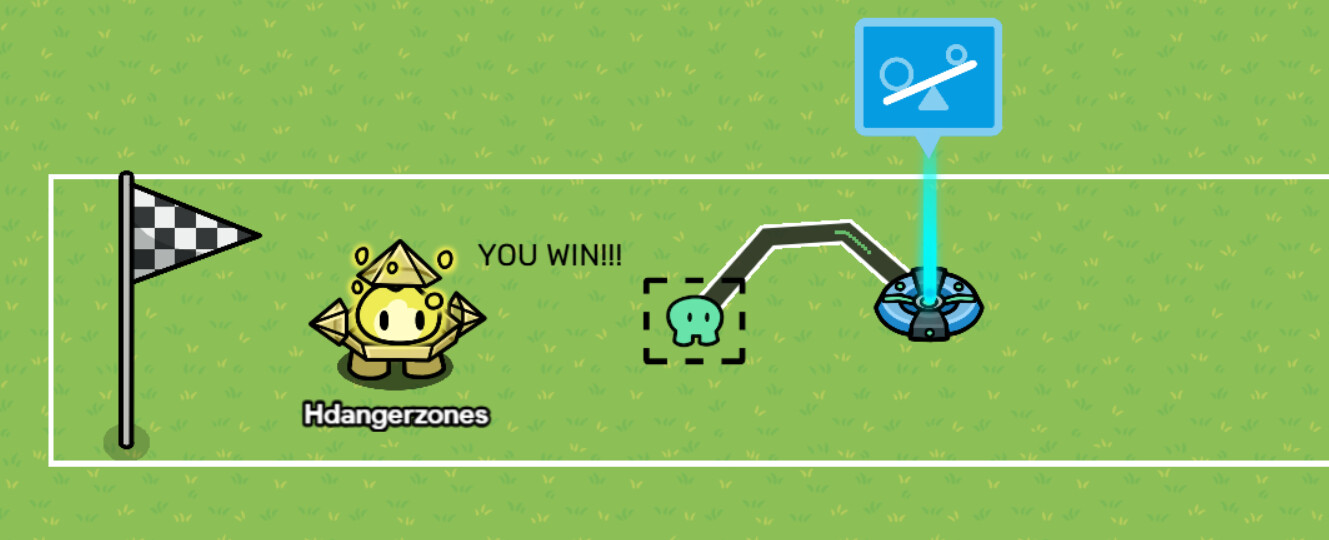
This is my imitation of your end part:


(sorry it’s harder on top down than you think :sob:

Step 1 - Zone

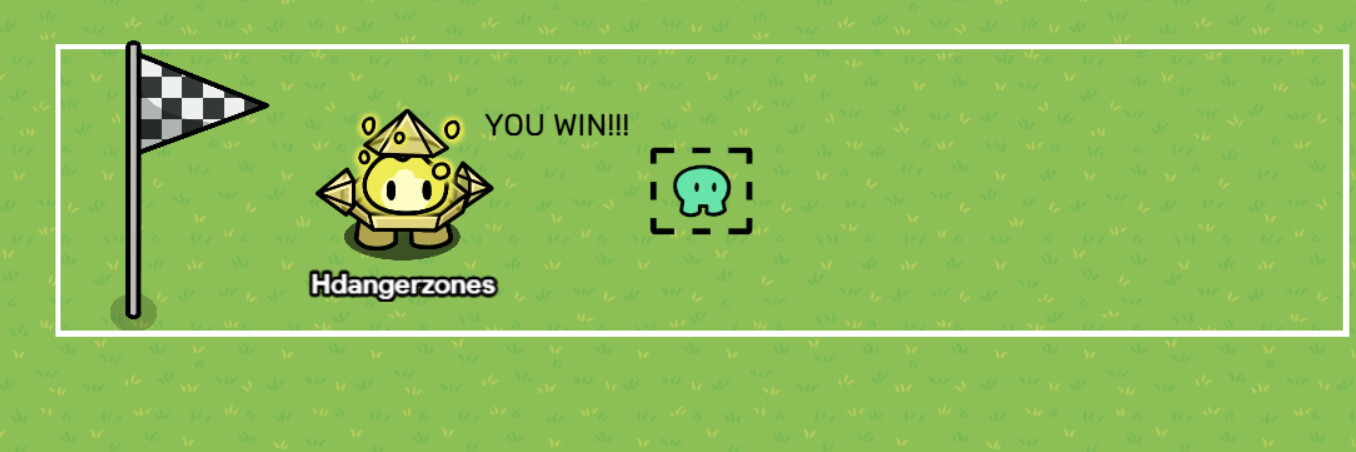
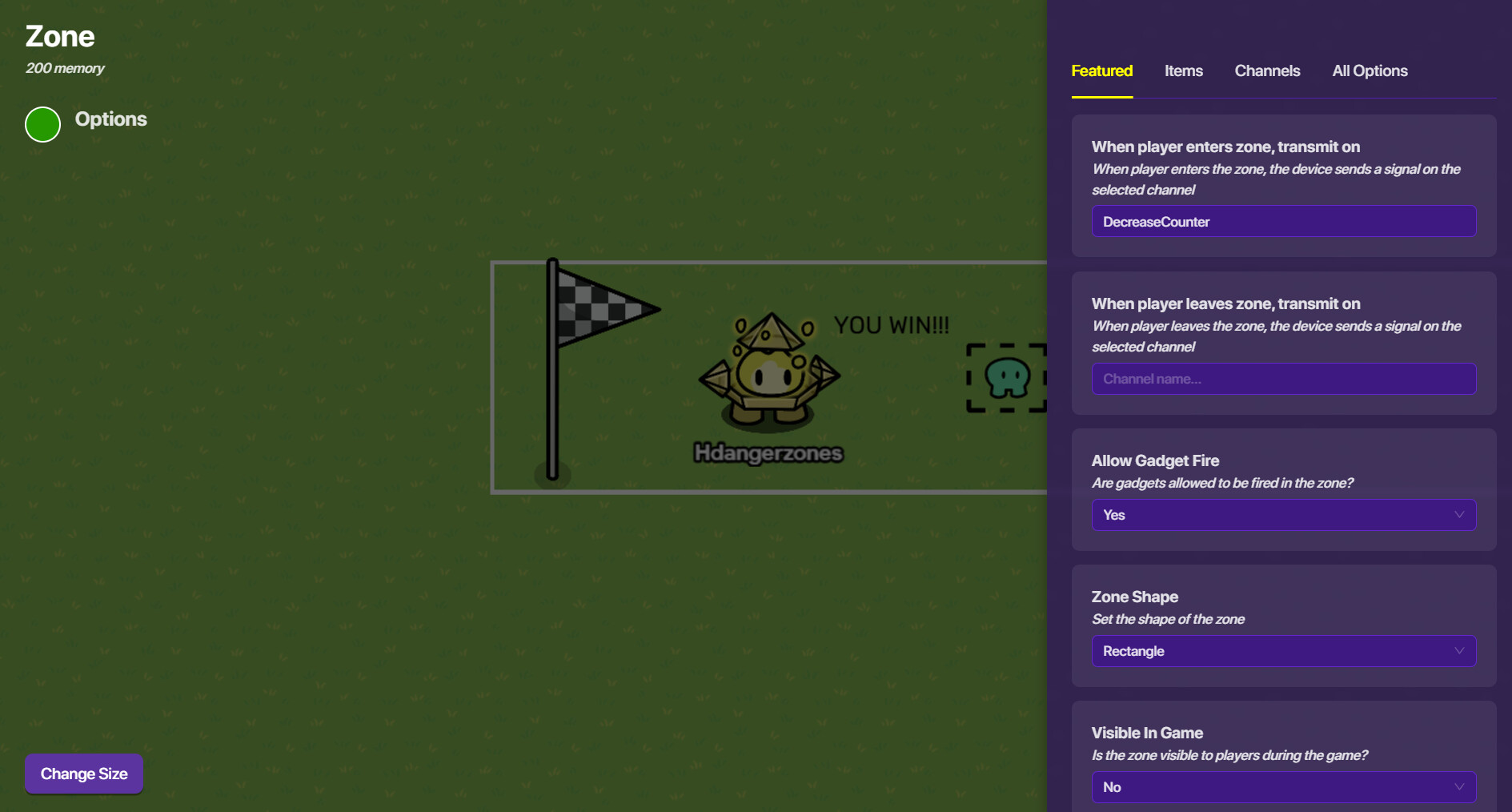
Add a zone that spans the whole part. Like this:


Now, when the player enters the zone, have it transmit on DecreaseCounter.

Step 2 - Checker

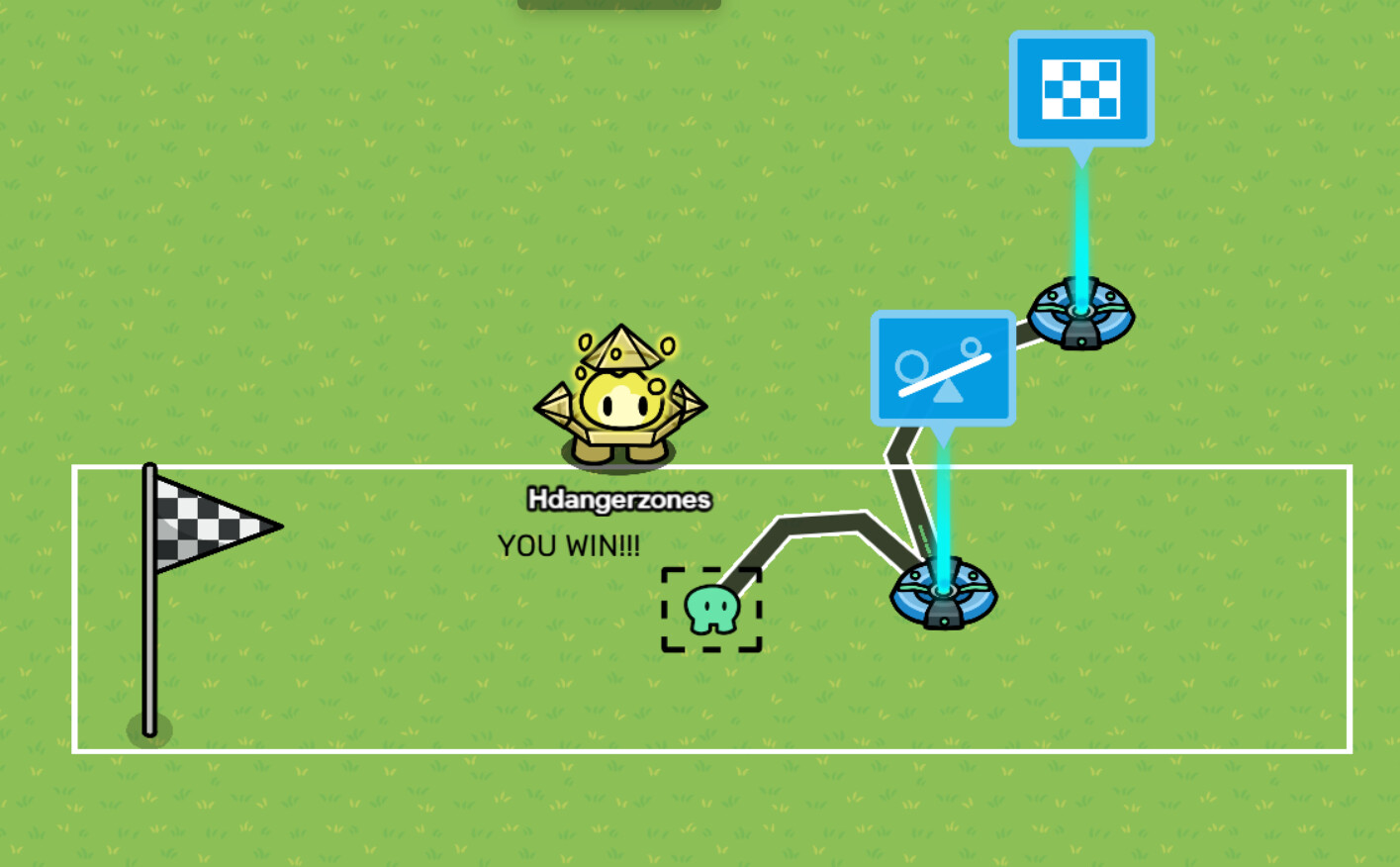
Add a checker device. Wire it to the zone (player enters zone > run check).


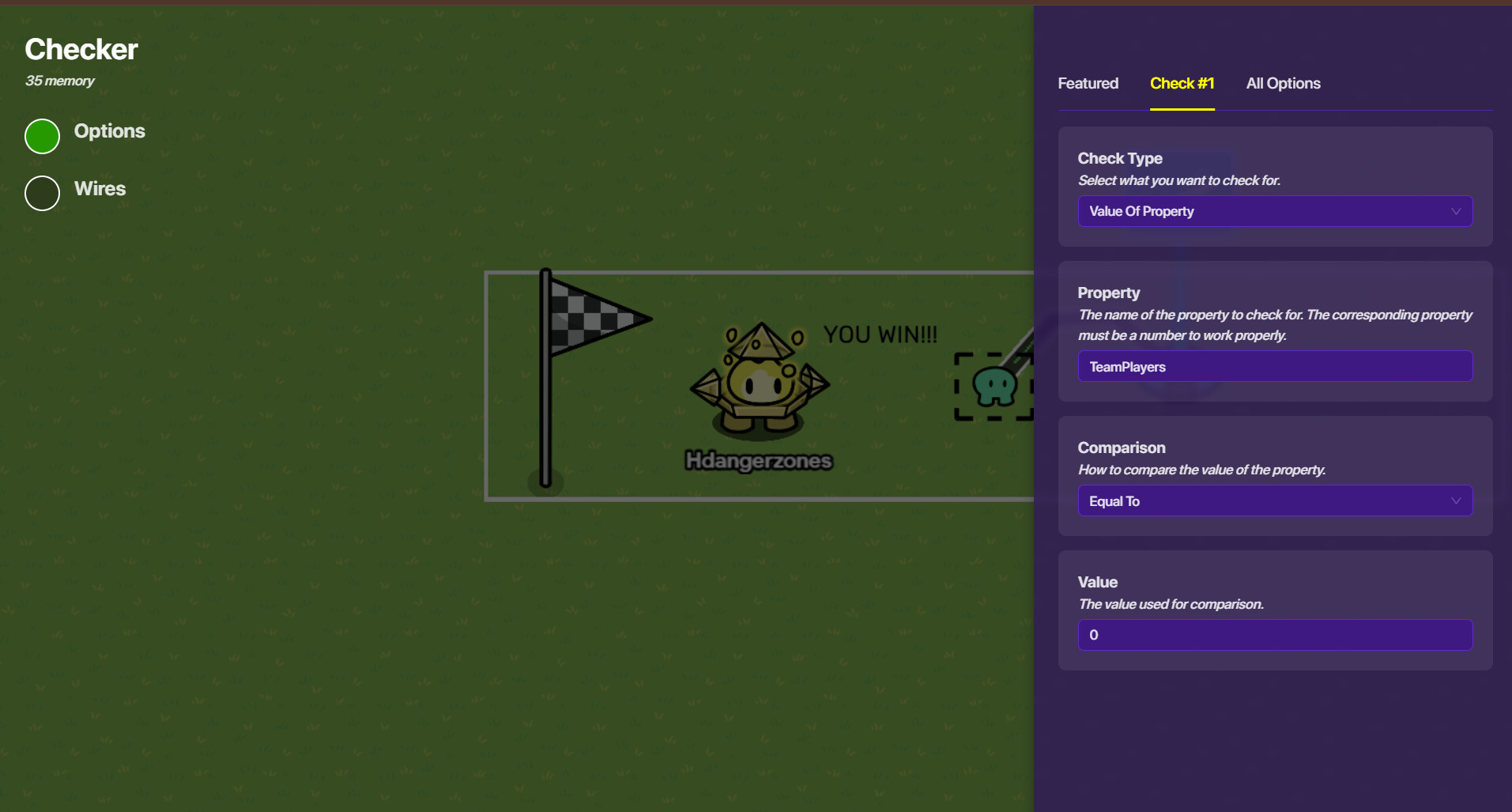
Now, go into your checker settings. Set the check type to Value of Property. Set the property to TeamPlayers. Set the comparision to Equal to, and the number to 0.

Step 3 - Ending the Game

Add an end game device. Wire it to the checker (check passes > end game). And that’s it!

Anyways hope this helps :slight_smile: @colt let me know if I misunderstood anything

3 Likes

ok i’ll finish my map so I can test out the end game and if it works I’ll mark a solution :slight_smile:

1 Like

last final problem how do I make hit head jumps?

Build a platform with a barrier, and another barrier above where you will land,
so its a sloped barrier (approx 60-75) degrees and a small barrier sticking directly above the slope.
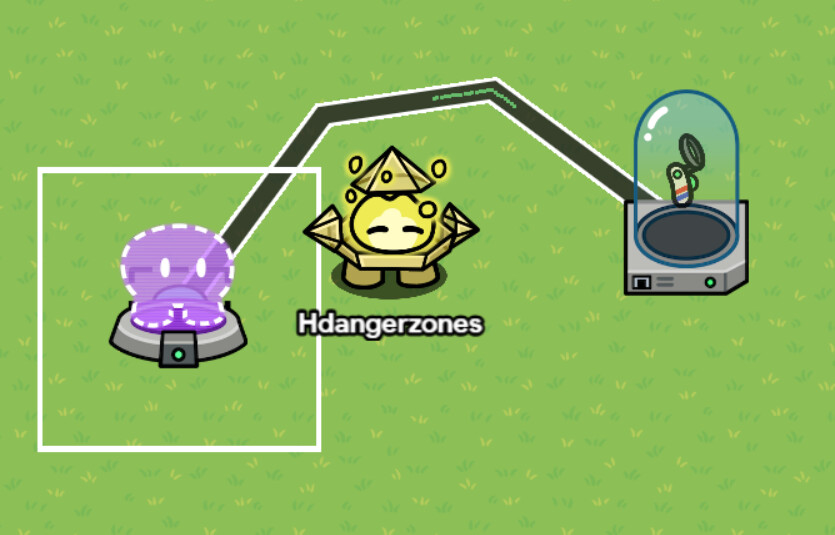
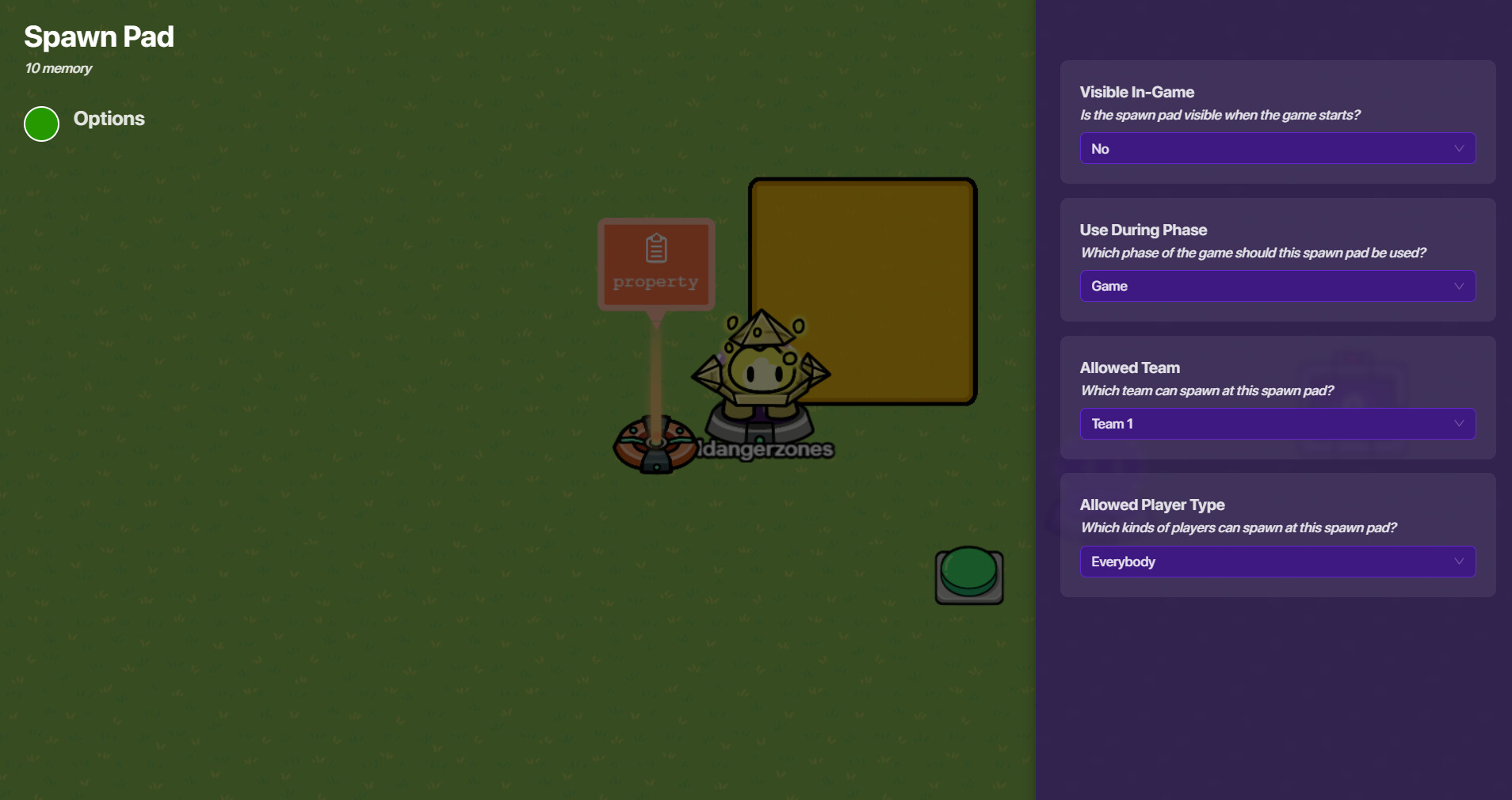
and it looks something like:

edit: @colt please mark a solution so the topic can close, thanks!

2 Likes

think you this will help me out a lot

1 Like

This topic was automatically closed 3 hours after the last reply. New replies are no longer allowed.