I’m on a non windows Dell laptop
1 Like

uh then maybe try either ctrl + enter or alt + enter
1 Like
Guys i dont think you can add spaces in popups…
3 Likes
it still wont do anything
1 Like
Yeah, by this point, I don’t think you can do new lines in popups.
(Also, how do you access the raw post in the forums)?
IDEA!!! lets find how many characters a popup needs before going to the next line and then use that as our “Enter”
I’ve done multiple spaces and it still will only put one space in the popup
@Imagimkitcreator
Try all these…
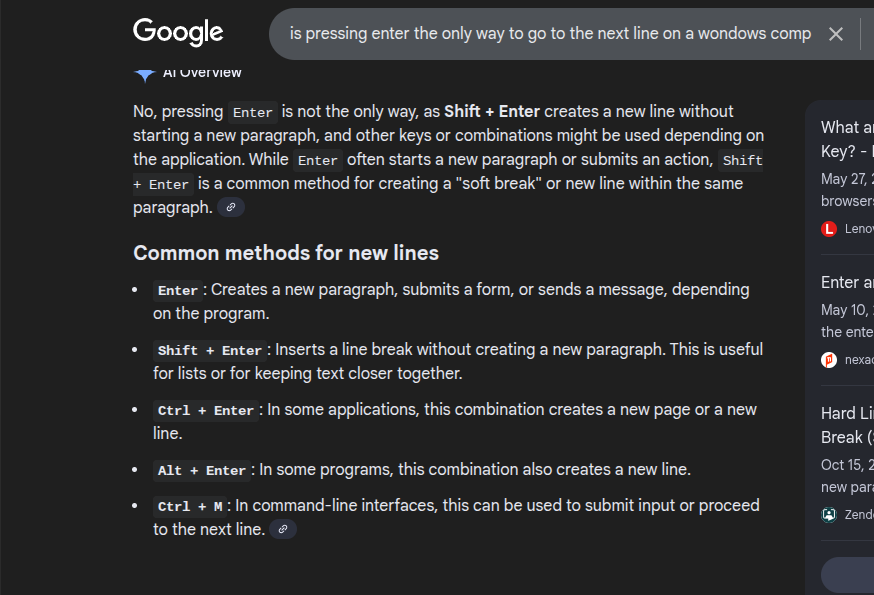
If not, I have no idea if it’s even applicable at this point.
Dang, that’s sad.
For some reason I felt it was, though.

1 Like
Use the - as a space
1 Like
I tried it, it’s not possible to add a new line in a pop-up.
1 Like
I want to say, now, it is not possible for a pop-up to do that.
You have to use a text-box or just find another alternative.
2 Likes
Guys, wait a sec…
Could you type your text into a word processing site, and then copy it over!?

Or will it just automatically format the lines to be paragraph style?
All good, LOL

SINCE WHEN!?!?!?
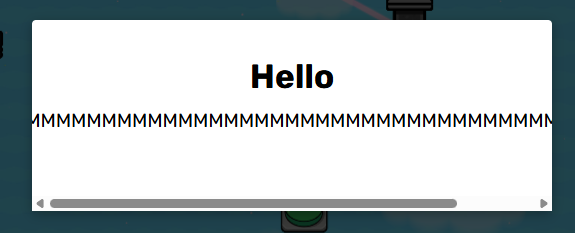
Ok so if you dont add a space it does this scroll thing! So use the - as a space then when you want the next line then press space bar
3 Likes
already tried this… sorry mate
1 Like
i dont think its possible. im just going to mark a solution
1 Like

what do ya mean how does it work
im lost it will always be a new word
@colton ofc it will go to a new line once it runs out of space
however, adding a lot of space or putting a long word will not work and will make it require scrolling.
3 Likes
Ok so if you dont put a space in your sentence and use the dash symbol it will count it as one word! THEN once you put a space i thinks you made a new word
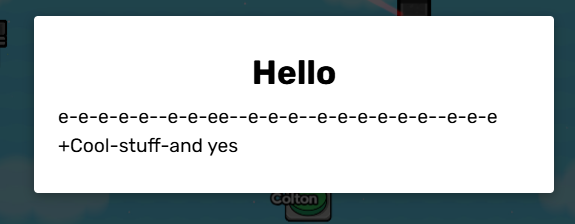

@Imagimkitcreator if you wanna try this! it should work with any symbol i think
1 Like
This topic was automatically closed 3 hours after the last reply. New replies are no longer allowed.