Since it seems to not be AI, at least according to everyone else, yeah, it’s good.
5 Likes
We should stop posting on here, this guide will not get restored because it was flagged. I highly doubt Jeffo will use his “precious” time to show it again.
5 Likes
Yes I agree the grammar errors are the last mistake that any AI engine would make. This ain’t AI. Its human mistakes.
Also, if the users are new, just TELL THEM THE RULES. There’s no reason in flagging their post without previous education on what to and what not to do.
4 Likes
Its been flagged before recently because flag spammers, but he restored it, and now its flagged again, “because of flag spammers”, oh what will I do 
2 Likes
This topic is temporarily closed for at least 4 hours due to a large number of community flags.
This topic was automatically opened after 4 days.
Is kinda a dupe? Soccer is really simple. Ball touches zone → counter changes.
My guide is all about balls with pictures and settings.
The whole guide
What’s up everybody, this is a simple easy 3-step guide on how to make a fun soccer game in Gimkit. (With Pictures!)
1. The Field:
You need green terrain, make a rectangle shape area for the field, and surround it with barriers which will be the walls. Put spawn pads on both sides of the field, one side will be “Team 1”, and the other is “Team 2”. Then build the goal area in a sideways rectangle, on each side behind the spawn pads. For the ball, get a ball and put it in the center of the field. Tip: ( Use a lot of props to make the game a lot more fun, to have style) You need a Ball Capture zone inside both goals. Zone= Respawn ball: Yes, Zone= Transmit on Channel (Goal_Team2) a ball comes.

You can also add Easter eggs in the game, all around the map, so people will try to replay the game.
2. Tracking Score:
Use a counter and make the scope=team.
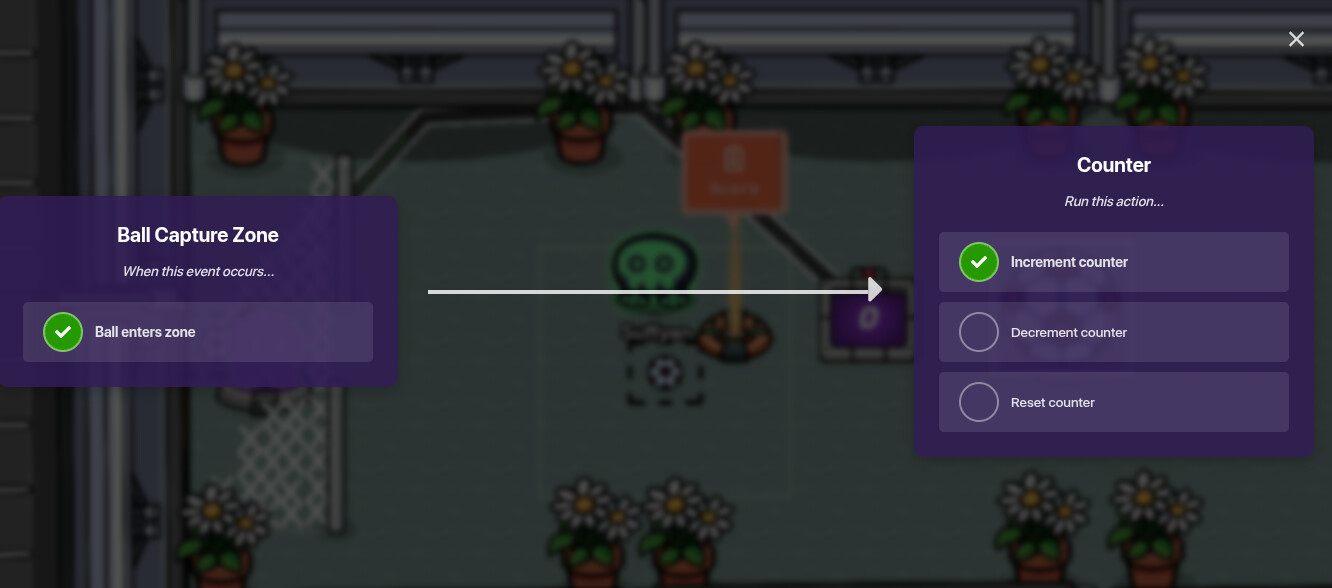
Wire it to the ball capture zone: When Ball Enters Zone-Increment Counter. Than a property device to “score” and make it to number. In the counter settings, make update property to “yes” and the “score” property. The Map Settings: Go to the map options, than score, and the leaderboard type is “property” and “score” pso you can see the goals.


3. How Can You Move the Ball?:
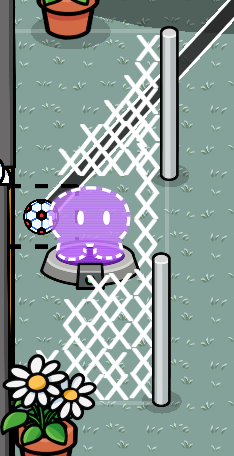
Blastball: Get a Starting Inventory device and give everyone a blaster, than you sh00t the ball to launch it, for more action games.

Sorry if I made any mistakes, but I hope you like this guide, I worked my whole Saturday for it, cant wait to see what yall think🔥
RONALDO, SUIIIIIIIIIIIIIIIIII!!!
2 Likes